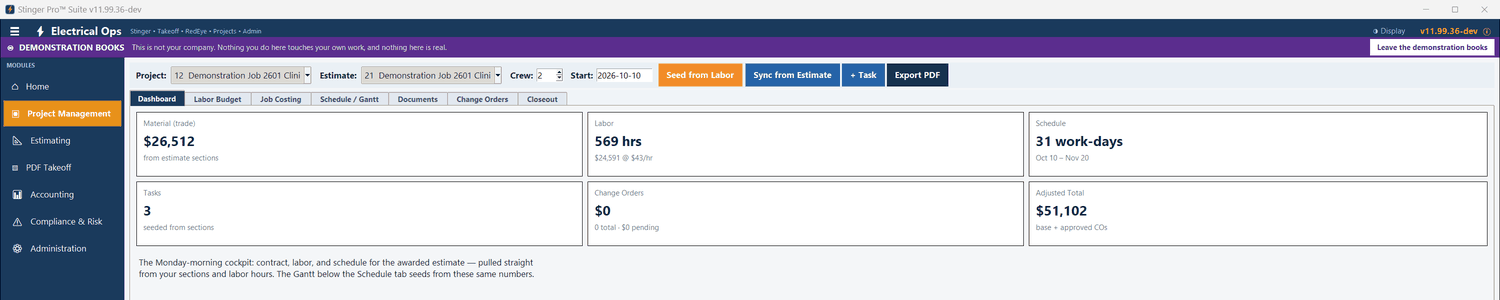
The awarded estimate becomes the schedule, the labor budget and the job-cost budget. The accounting side tracks the contract, its change orders and what is earned against what is billed.
Pick the project and the estimate. Seven tabs: Dashboard, Labor Budget, Job Costing, Schedule / Gantt, Documents, Change Orders and Closeout.
Each section of the estimate becomes a task, its length the section’s labor hours over the crew at eight hours a day, on working days. Drag a bar to move it; double-click to edit its crew, length and percent complete. Sync from Estimate refreshes the hours and lengths and keeps the percent complete and any added tasks.
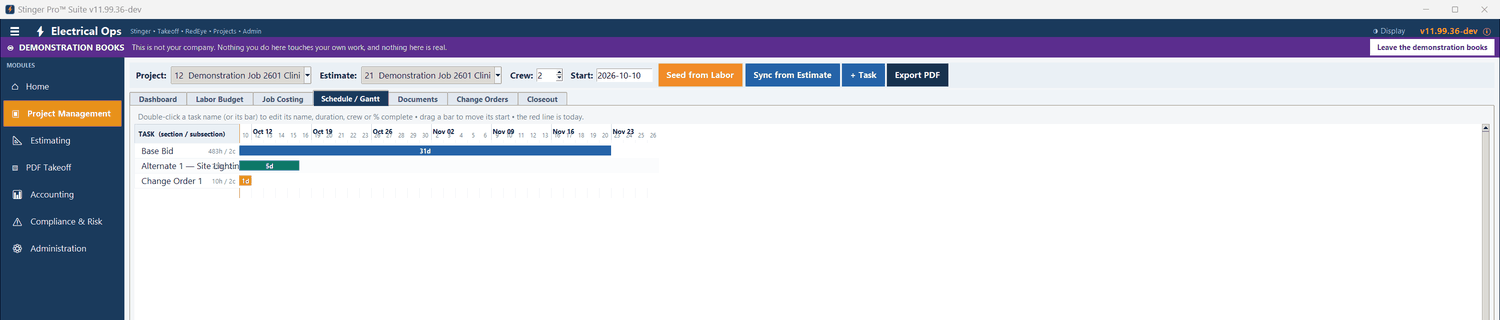
The Labor Budget tab lists each task’s hours, crew, days and percent complete. Export PDF writes the Gantt chart as a PDF.
Each section is budgeted at its material plus its labor hours at the labor rate. Labor entries (1099, payroll or certified), expenses and accounts-payable bills post against the sections. The status compares spend with where the schedule says the section should be today: Not started, Early spend, Under budget, On budget, Trending over or Over budget.
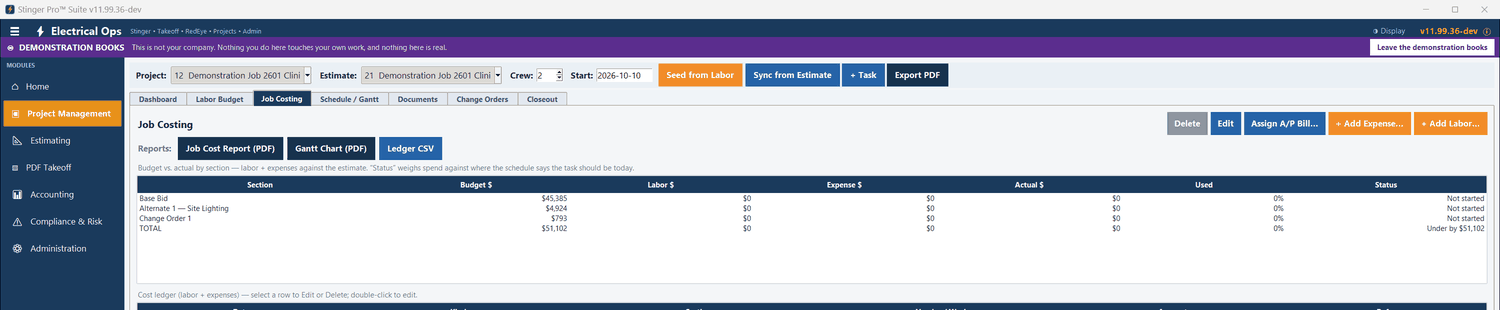
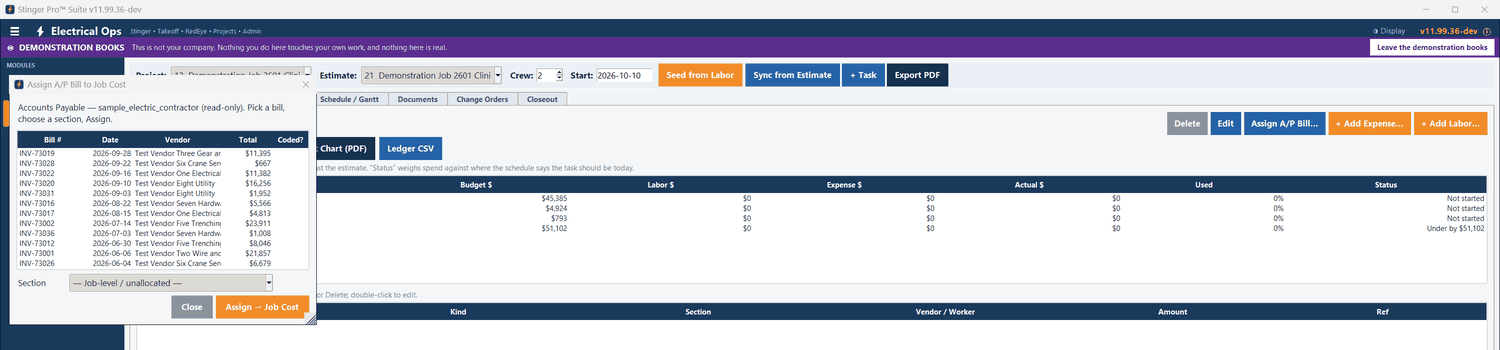
Three reports: Job Cost Report (PDF) Gantt Chart (PDF) Ledger CSV
Not in the demonstration books yet. No costs are posted to 2601’s estimate sections in Project Management, so every status reads Not started.
A closeout list is started for each project: final billing, retainage released, lien releases collected, final inspection, certificate of occupancy, as-builts, O&M manuals, warranties, punch list and owner training. Double-click an item to mark it done with the date.

A change order is priced as its own estimate. In accounting, Import Project Estimate with Add to existing project appends that estimate’s lines to the awarded project’s schedule of values — nothing already billed changes — and files the estimate’s takeoff report, with material, labor hours and labor dollars by section, under the project’s estimate reports.
Progress Billing lists each change order’s number, description, amount, date and status, and the contract to date includes the approved ones. The estimate side keeps its own Change Orders tab in Project Management: number, description, amount, labor hours and status (pending, approved or rejected).
In accounting, each job is budgeted by category — labor, material, subcontract, equipment, permits and fees, other. Bills tagged to the job and certified payroll are its actual cost, sorted by account, with the contract, estimated cost, cost to date, percent complete and profit to date. The WIP schedule shows every job’s contract, estimated cost, cost to date, percent complete, earned, billed, overbilled and underbilled.