Check your weather.
Free NWS forecasts, compared against anywhere else, with radar. No ads, no trackers. Weather Benchmark →

One job, start to finish

Job 2601, the demonstration clinic fit-out, through Stinger Pro: the plan, the estimate, the schedule, the job cost, purchasing and billing. Each step names the button that moves the job on.

The platform - now showing One job, start to finish

The job, step by step

Every picture on these pages is the program running its demonstration books. The purple strip across the top of each screen says so: the company, the customers, the vendors and the job are invented.

  1. STEP 1Plan → estimate entryRead Drawn Geometry
  2. STEP 2Tool → estimate entrySize from Fill, then Send to Takeoff
  3. STEP 3Estimate → schedule and labor budgetSync from Estimate
  4. STEP 4Estimate → job-cost budgetJudged against the schedule
  5. STEP 5Quotes → PO → bill → sectionImport from job quotes…, Assign A/P Bill…
  6. STEP 6Estimate → contract → pay application → lien waiverImport Project Estimate

Step 1 — the plan to the estimate entry

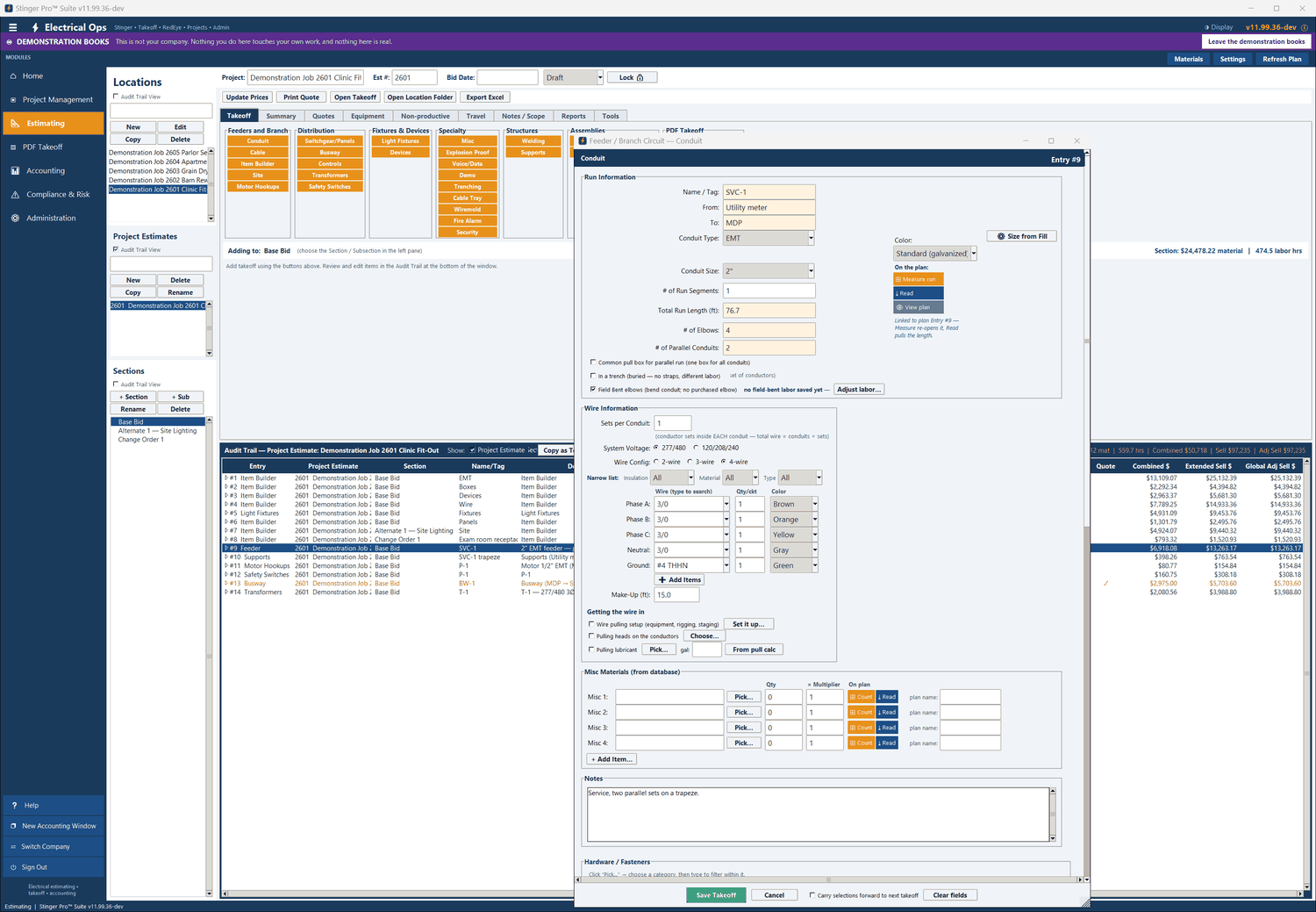
The service is drawn on the calibrated power plan in PDF Plan Takeoff: two conduits from the meter to the MDP. In the estimate’s Conduit entry, Read Drawn Geometry fills the length, the elbows and the parallel conduits from the drawing, and those fields stay locked to the plan.
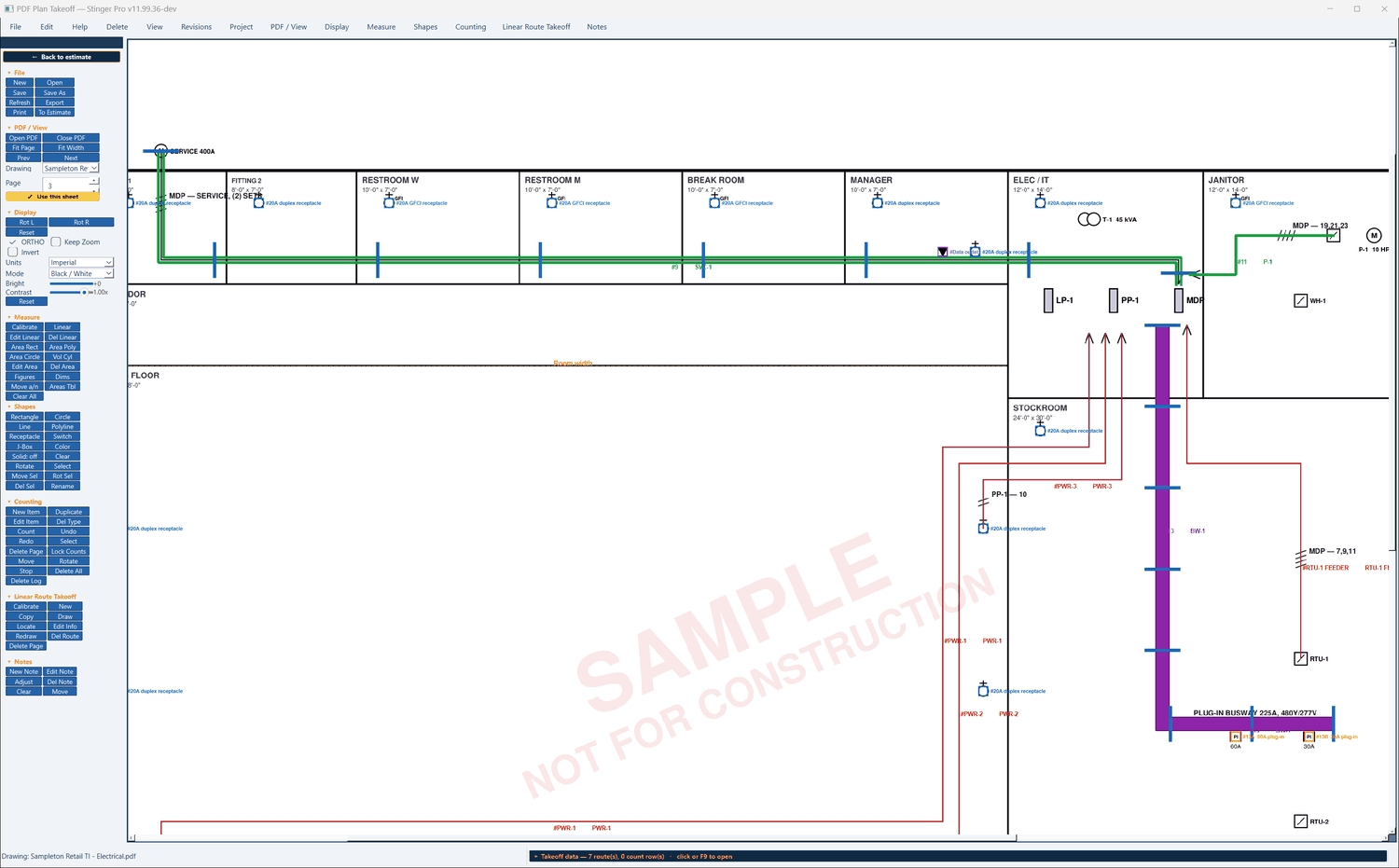
Stinger Pro screen: On the plan: entry 9, SVC-1, two conduits on a trapeze from the meter on the north wall into the MDP; entry 13, the busway; entry 11, the pump circuit.
On the plan: entry 9, SVC-1, two conduits on a trapeze from the meter on the north wall into the MDP; entry 13, the busway; entry 11, the pump circuit.
Stinger Pro screen: In the estimate: Conduit entry #9, “Linked to plan Entry #9”. Total run length 76.7 ft, 4 elbows, 2 parallel conduits, from the plan; 3/0 AWG phases and neutral in brown, orange, yellow and gray, from 277/480.
In the estimate: Conduit entry #9, “Linked to plan Entry #9”. Total run length 76.7 ft, 4 elbows, 2 parallel conduits, from the plan; 3/0 AWG phases and neutral in brown, orange, yellow and gray, from 277/480.

Step 2 — an engineering tool to the estimate entry

In the Conduit entry, ⚙ Size from Fill opens Conduit Fill with the run’s conductors already in it. From the tool, → Send Recommended to Takeoff puts the conduit size, the conductors and the parallel conduits back into that entry. The tool never reaches into the estimate: the entry hands the tool its run. Pull Box and Wireway work the same way: the three tools that send back.
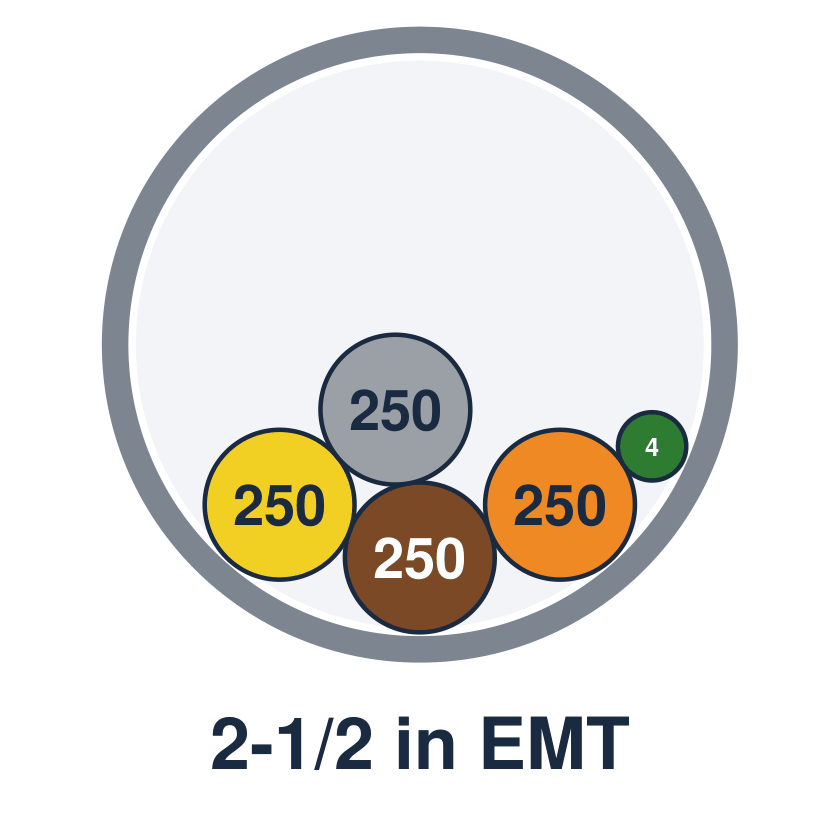
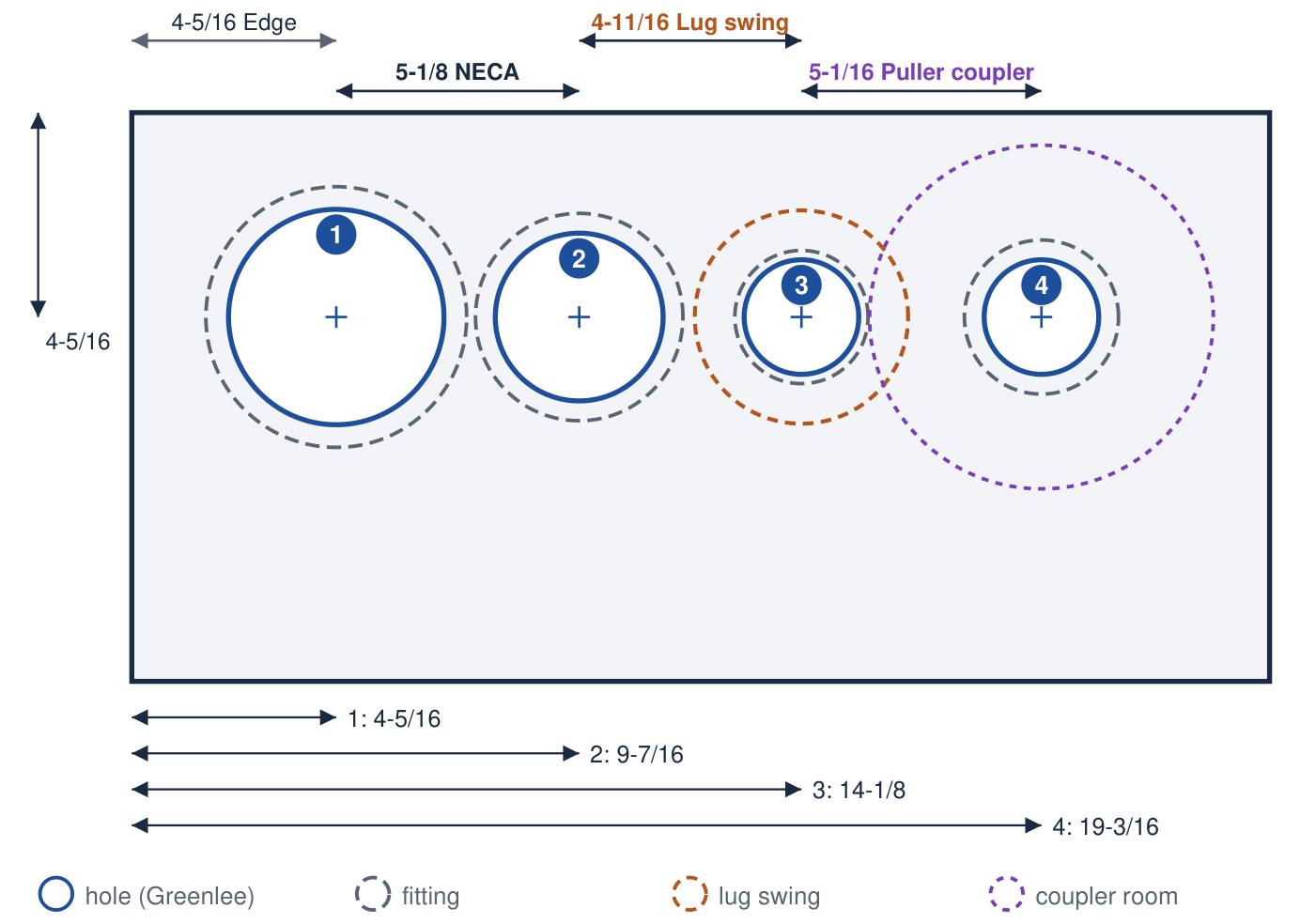
Drawing the program wrote: Conduit Fill: 2-1/2 in EMT, cross-section to scale, four 250 kcmil and a 4 AWG ground in brown, orange, yellow, gray and green.Drawing the program wrote: Knockout Layout: four knockouts in a 24 x 12 in wall, with the fitting, lug swing and puller coupler room around each hole.
Two drawings the tools print. Conduit Fill: a 480Y/277 V feeder, four 250 kcmil and a 4 AWG ground in 2-1/2 in EMT, drawn to scale in the system’s colors — phases brown, orange and yellow, the neutral gray, the ground green. Knockout Layout: four knockouts in a 24 × 12 in wall, each hole with its fitting, the lug swing and the puller coupler room, dimensioned from the left edge.

Step 3 — the estimate to the schedule and the labor budget

Pick the project and estimate in Project Management. Sync from Estimate runs as the estimate is picked: each section becomes a task, its length the section’s labor hours over the crew at eight hours a day. Change the crew and every bar refits.
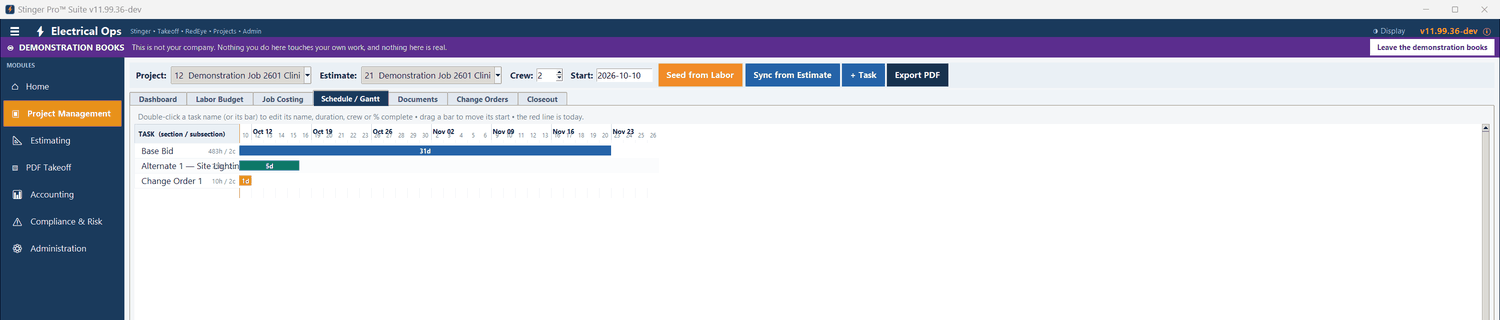
Stinger Pro screen: Schedule / Gantt for estimate 2601 at a crew of 2: Base Bid, 483 hours, 31 days; Alternate 1 — Site Lighting, 5 days; Change Order 1, 10 hours, 1 day.
Schedule / Gantt for estimate 2601 at a crew of 2: Base Bid, 483 hours, 31 days; Alternate 1 — Site Lighting, 5 days; Change Order 1, 10 hours, 1 day.

Step 4 — the estimate to the job-cost budget

Job Costing budgets each section at its material plus its labor hours at the labor rate. Labor, expenses and accounts-payable bills post against the sections. The status compares what has been spent with where the schedule says the work should be today.
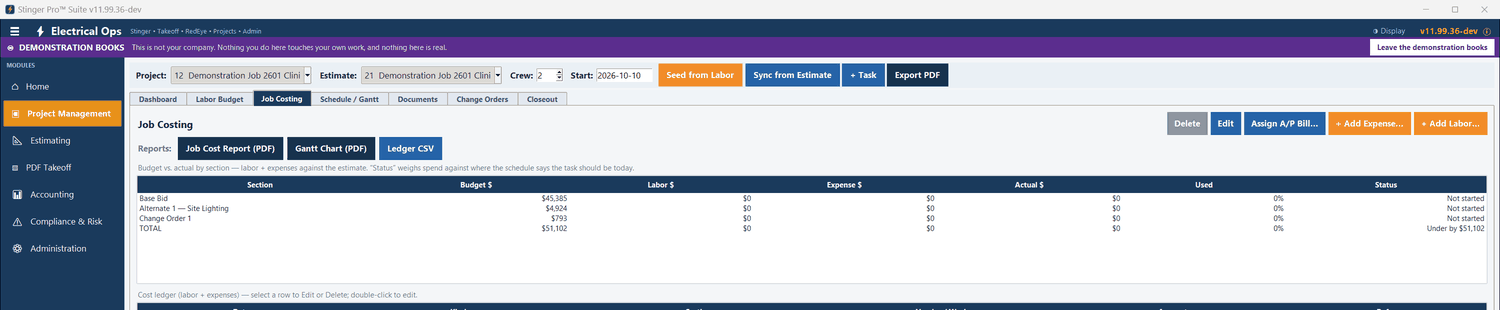
Stinger Pro screen: Job Costing for estimate 2601: each section’s budget, with labor, expense and actual, the percent used and the status.
Job Costing for estimate 2601: each section’s budget, with labor, expense and actual, the percent used and the status.

Not in the demonstration books yet. No labor, expense or bill is posted to 2601’s sections, so every section reads Not started.

Step 5 — vendor quotes to a purchase order, a bill and a section

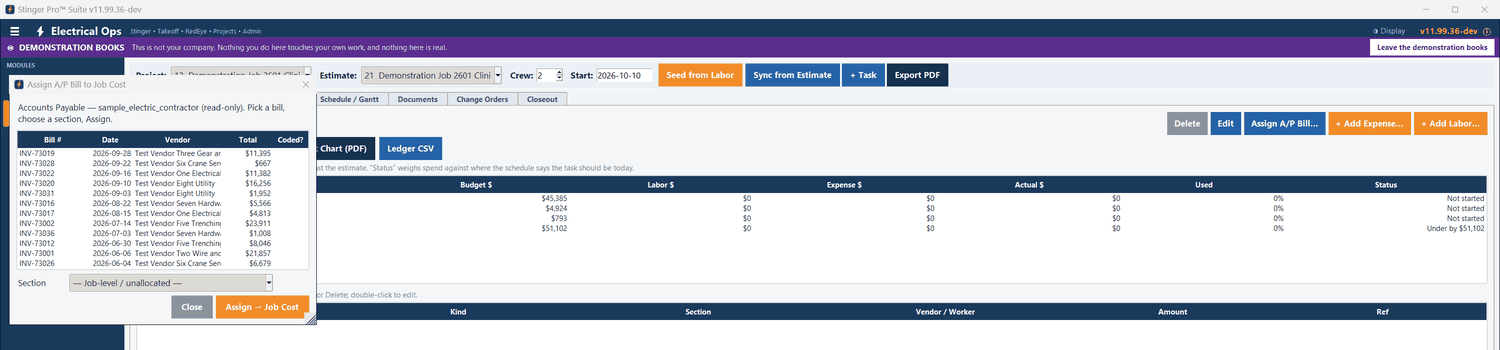
The vendor quote matrix selects the lowest price on each line. In a purchase order, Import from job quotes… brings in the approved quote lines and can attach the vendor’s quote PDF. The vendor’s bill carries the job. In Project Management, Assign A/P Bill… lists the company’s bills and assigns one to a section of the estimate.
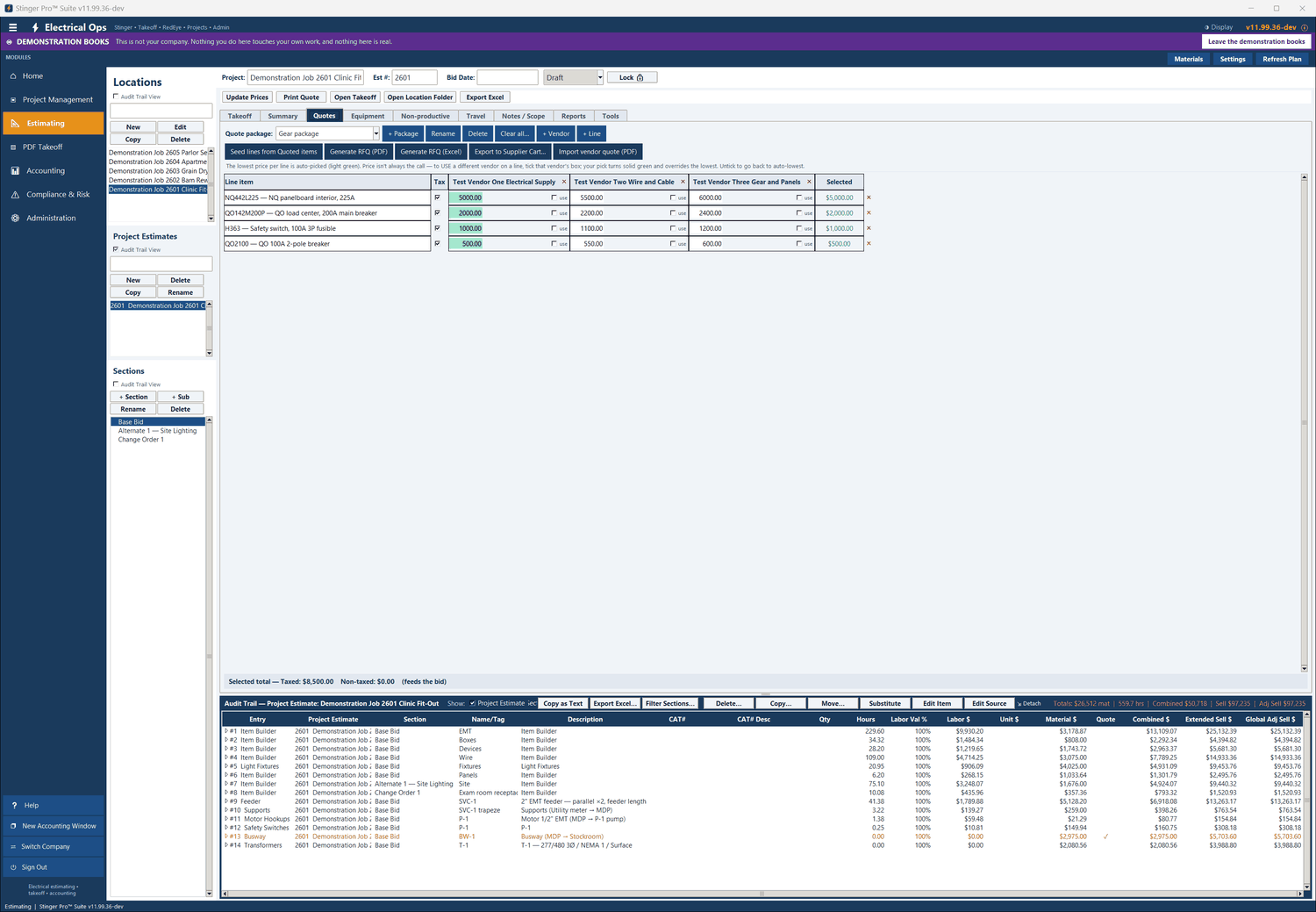
Stinger Pro screen: The Gear package for 2601: four lines, three vendors; the lowest price on each line is selected, $8,500.00 in total.
The Gear package for 2601: four lines, three vendors; the lowest price on each line is selected, $8,500.00 in total.
Stinger Pro screen: Assign A/P Bill to Job Cost: the accounting bills, read-only. Pick a bill and a section, then Assign → Job Cost.
Assign A/P Bill to Job Cost: the accounting bills, read-only. Pick a bill and a section, then Assign → Job Cost.

Not in the demonstration books yet. The purchase orders in the demonstration books were entered directly, not imported from these quotes, and no bill has been assigned to a section of 2601.

Step 6 — the estimate to the contract, the pay application and the lien waiver

Import Project Estimate makes the accounting project from the estimate: the contract is the estimate’s grand total, and the schedule of values is one line per takeoff module at its marked-up sell. The takeoff report and the vendor quote PDFs are filed with the project. Pay applications bill against the schedule of values, and a lien waiver linked to the job fills in from the latest application.
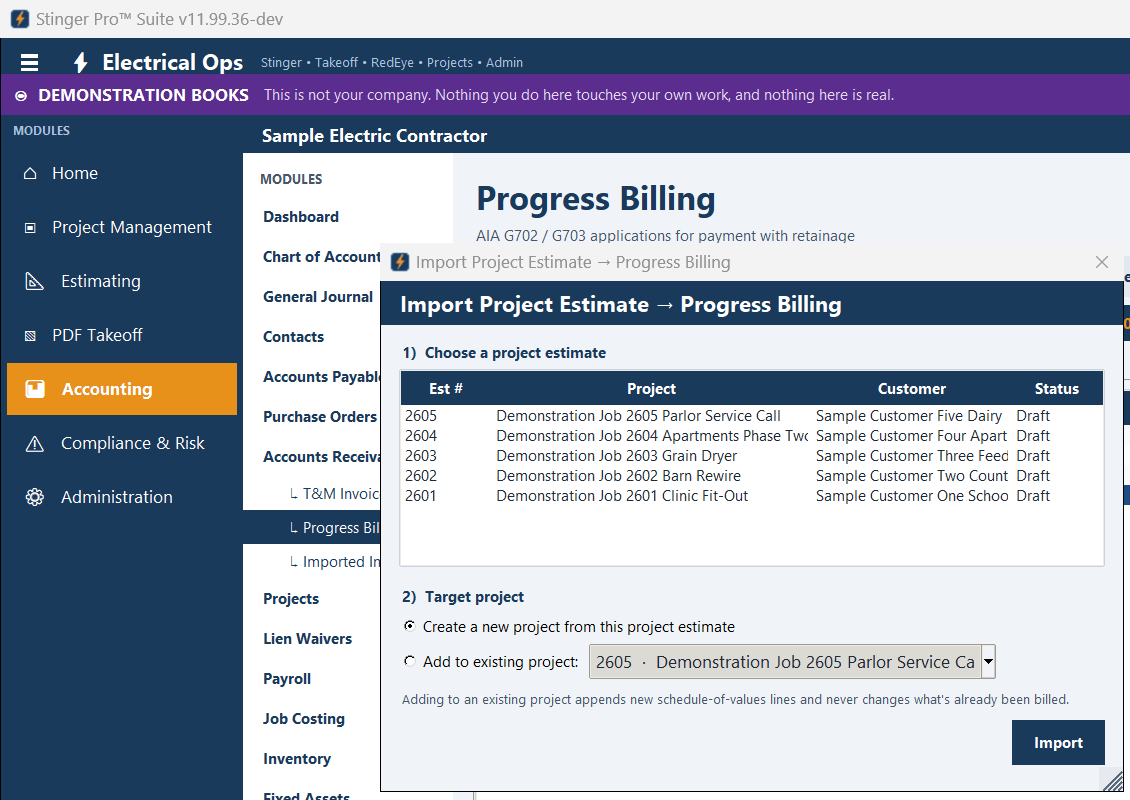
Stinger Pro screen: Import Project Estimate → Progress Billing: choose an estimate, then a new project or an existing one.
Import Project Estimate → Progress Billing: choose an estimate, then a new project or an existing one.

Not in the demonstration books yet. Job 2601’s accounting project in the demonstration books was set up by hand, not imported: its contract is $285,000 and its schedule of values is lines by trade, while the estimate quotes $97,200.

Each part on its own

  • Estimating: the bid summary, the Audit Trail and its reports, switchgear, quotes, labor and pricing.
  • PDF Plan Takeoff: runs, parallel conduits, trapeze, bus duct, motors, counts and revisions.
  • Engineering tools: twenty in the Suite, three of which send their answer back into a takeoff entry.
  • Project and cost: the schedule, job cost, closeout and change orders.
  • Accounting: payables, purchase orders, progress billing, payroll, banking and compliance.