Pull Tension

Build the run segment by segment, the way the cable meets it. The app gives the tension at every step, the sidewall pressure at every bend, the jam check, the puller and the lubricant, and writes the pull plan as a PDF.

The tools - now showing Pull Tension
A

One job, start to finish — slides

The app’s own example, every screen in order, 27 steps.
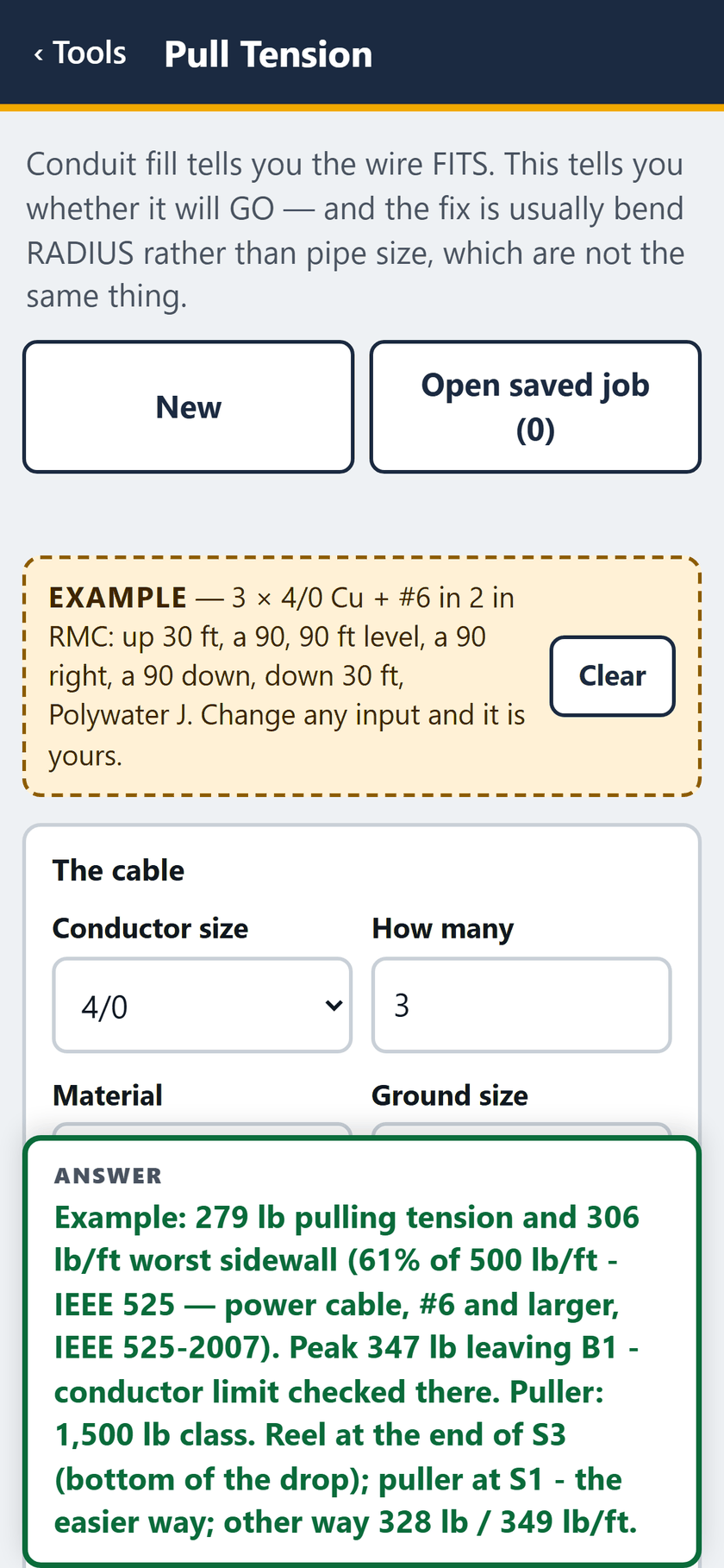
  1. Pull Tension screen: The example opens filled in: the reference pull, with the answer pinned at the foot of the screen.

    STEP 1 OF 27The example opens filled in: the reference pull, with the answer pinned at the foot of the screen.
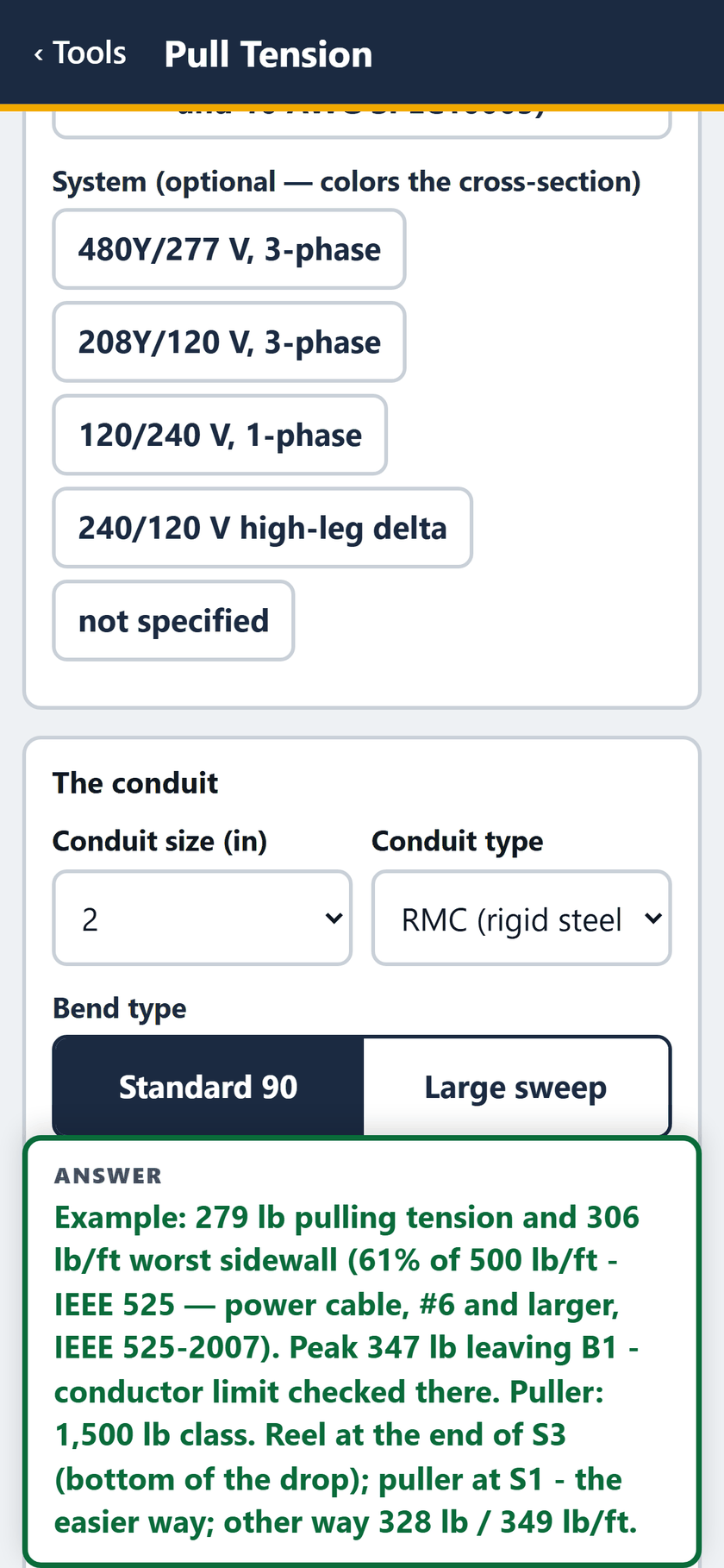
  2. Pull Tension screen: The system, then the conduit: 2 inch rigid, standard 90s.
    STEP 2 OF 27The system, then the conduit: 2 inch rigid, standard 90s.

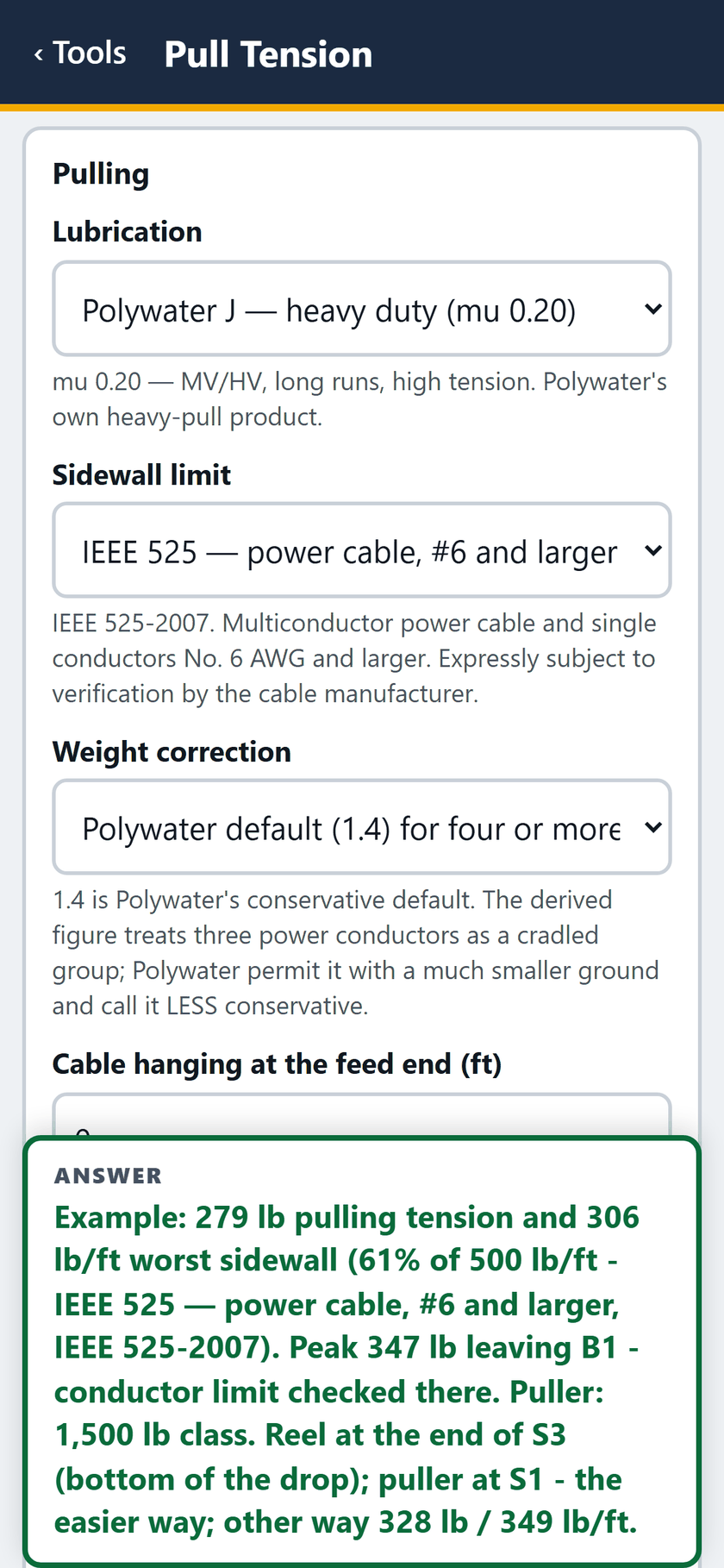
  3. Pull Tension screen: Pulling: Polywater J, the IEEE 525 sidewall limit, the weight correction and any cable hanging at the reel.
    STEP 3 OF 27Pulling: Polywater J, the IEEE 525 sidewall limit, the weight correction and any cable hanging at the reel.

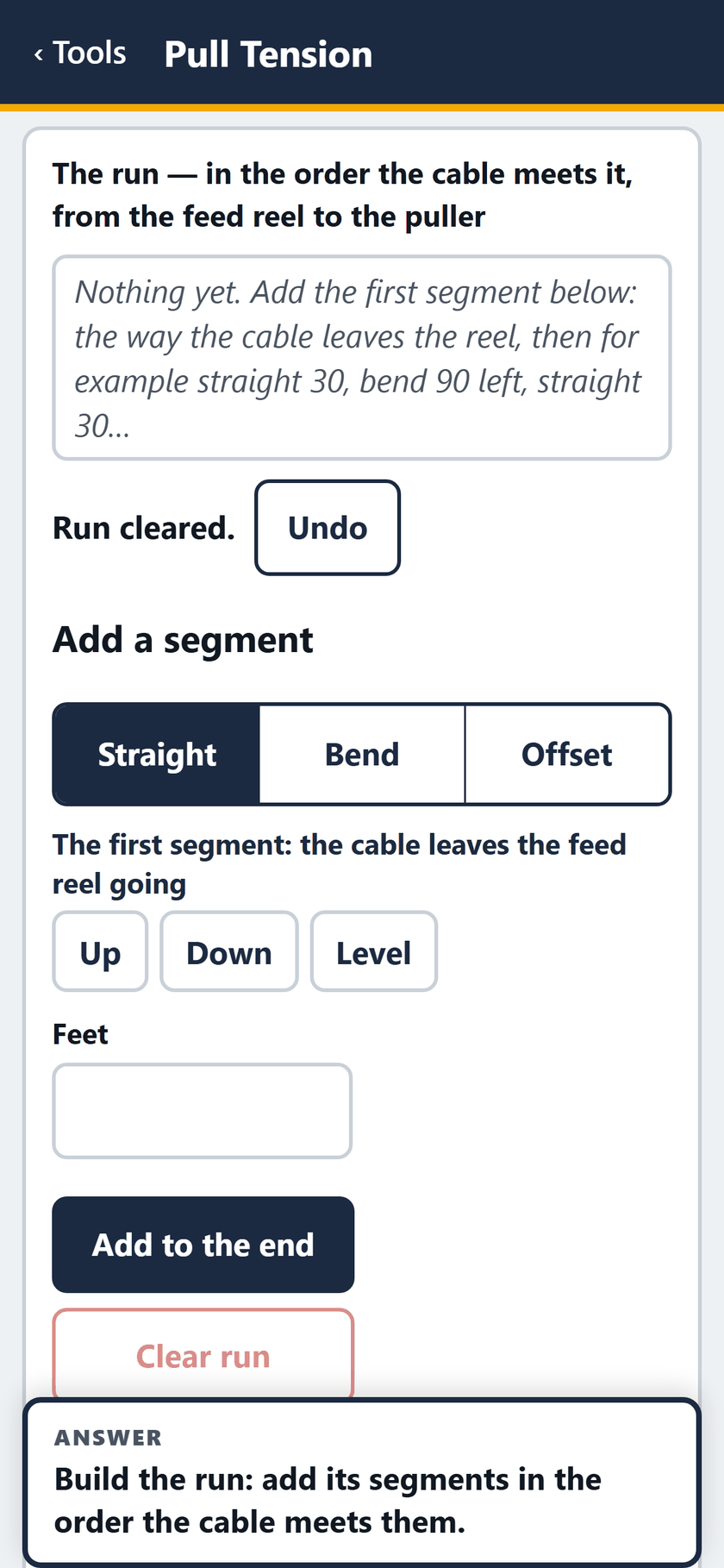
  4. Pull Tension screen: The run cleared, ready to build.

    STEP 4 OF 27The run cleared, ready to build.
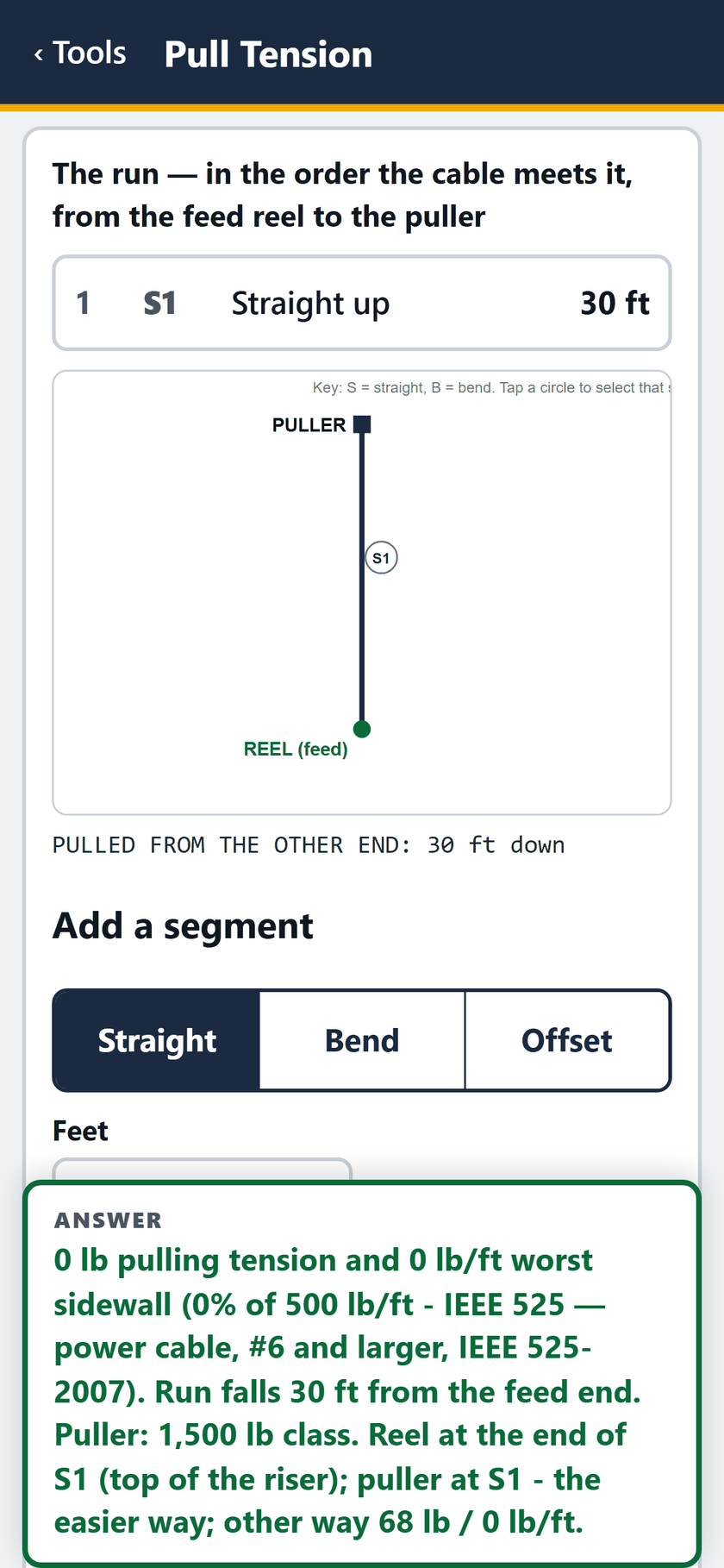
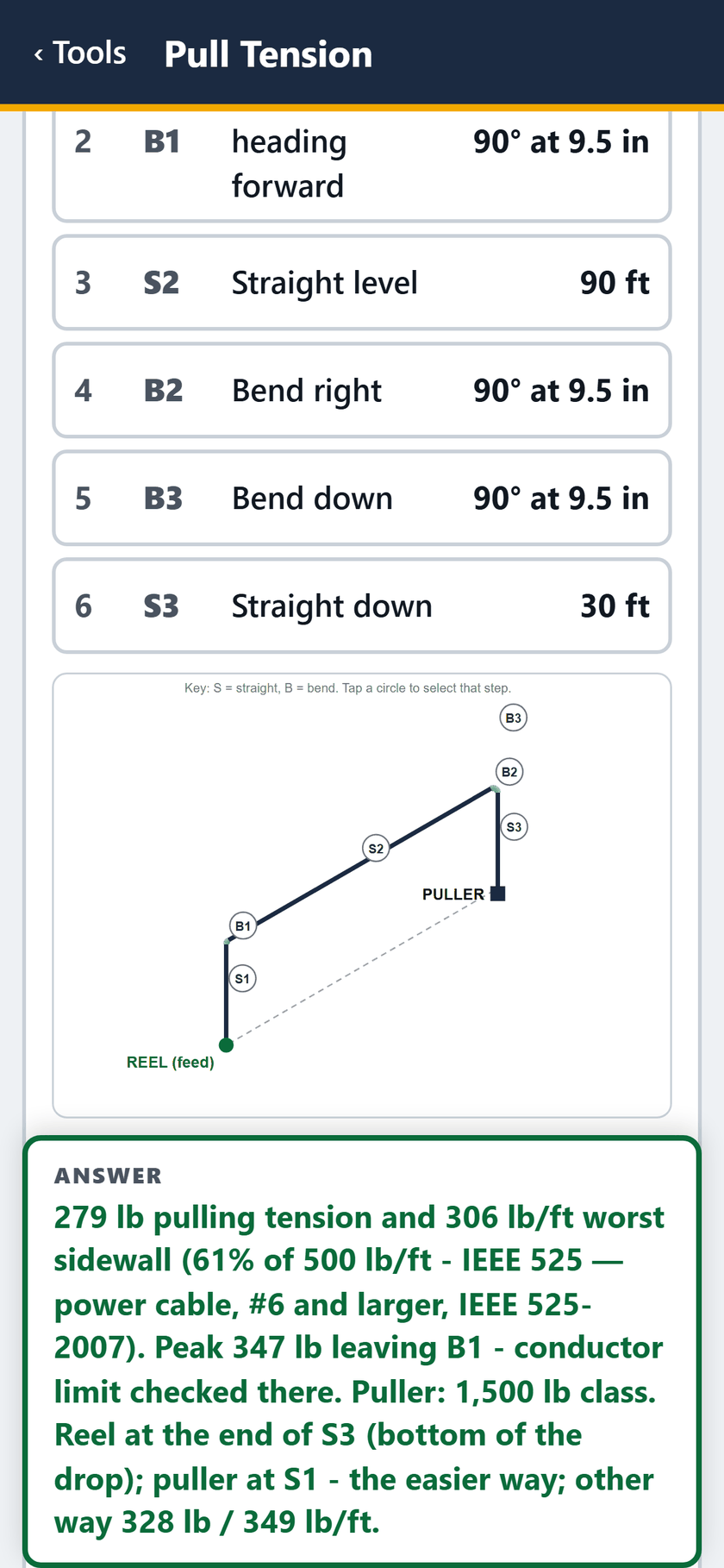
  5. Pull Tension screen: Segment 1: straight up 30 feet from the reel.
    STEP 5 OF 27Segment 1: straight up 30 feet from the reel.

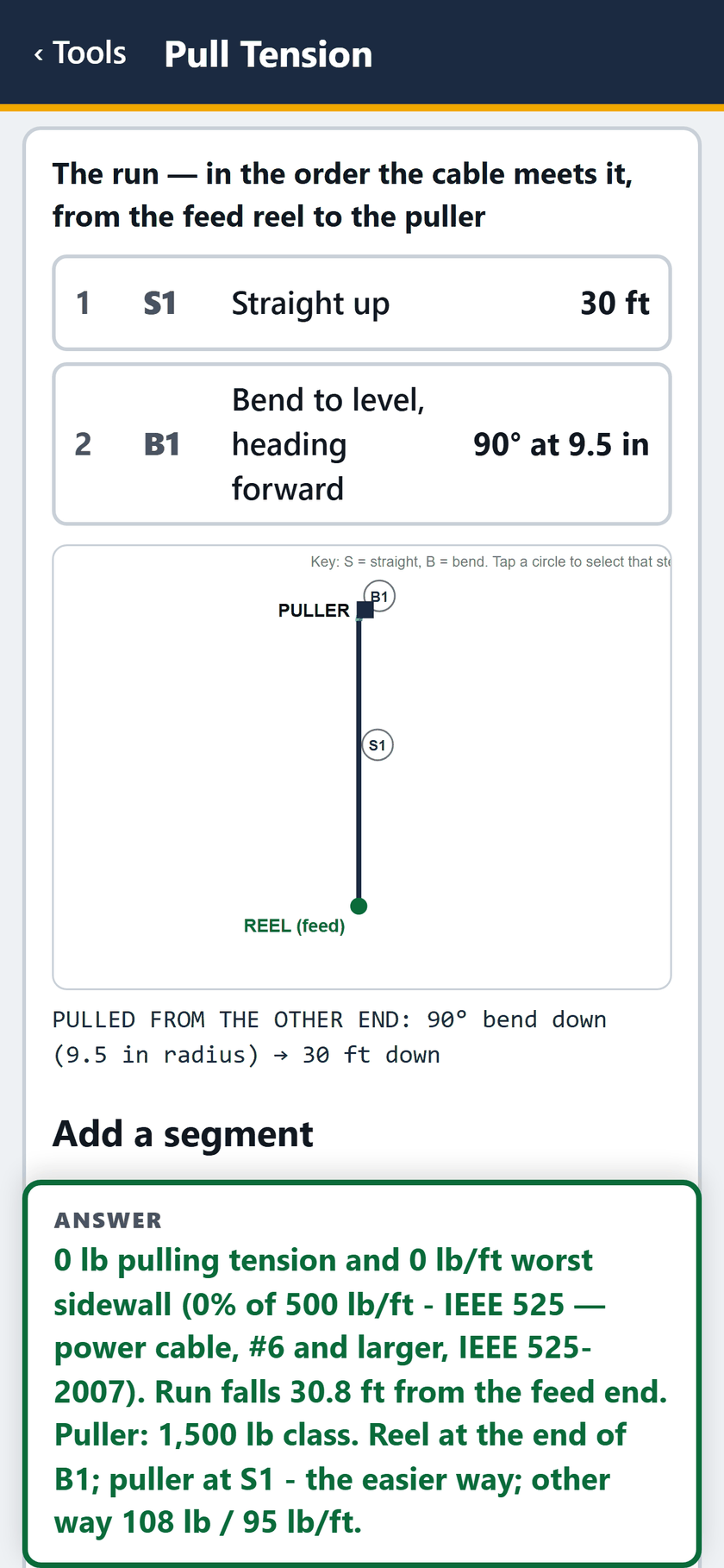
  6. Pull Tension screen: Segment 2: a 90 to level, heading forward.
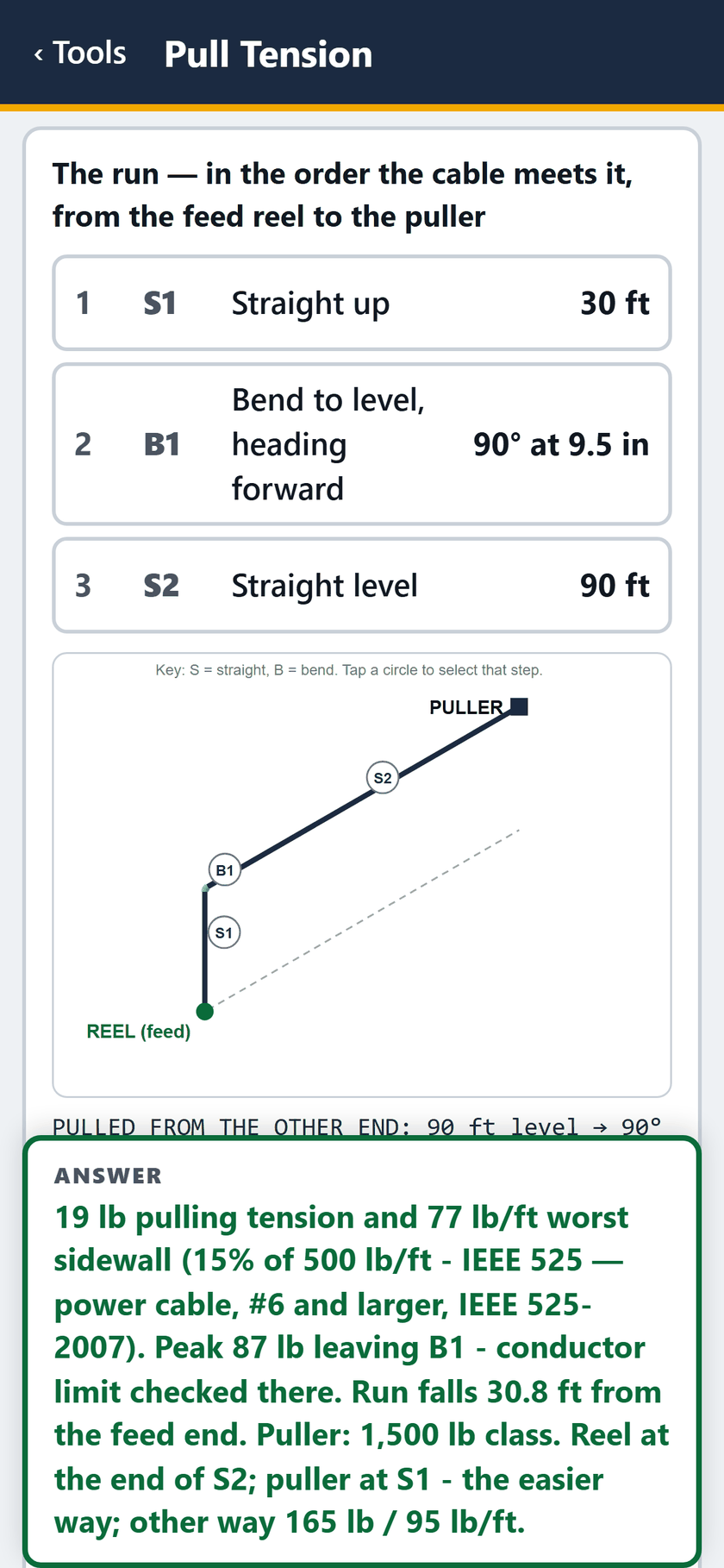
    STEP 6 OF 27Segment 2: a 90 to level, heading forward.

  7. Pull Tension screen: Segment 3: straight 90 feet, level.

    STEP 7 OF 27Segment 3: straight 90 feet, level.
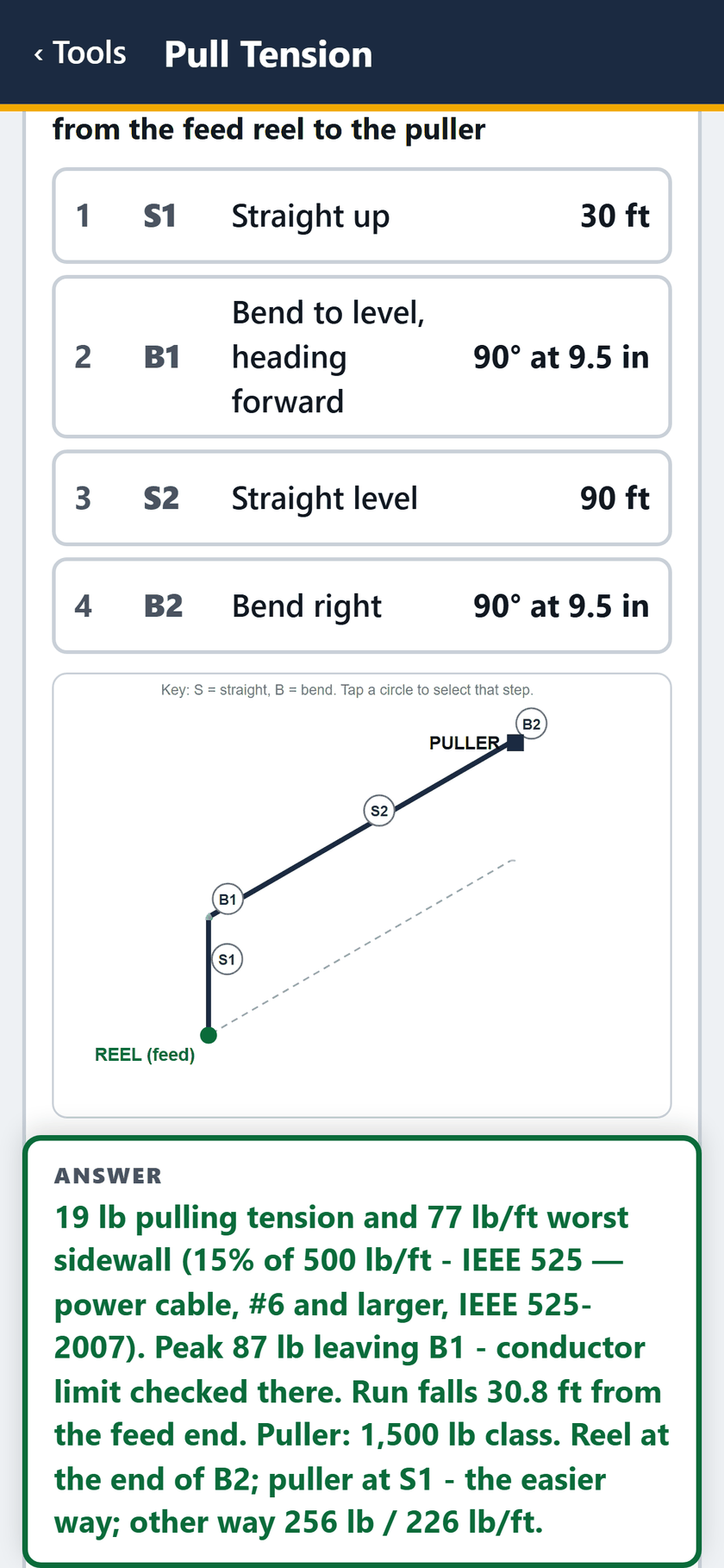
  8. Pull Tension screen: Segment 4: a 90 to the right.

    STEP 8 OF 27Segment 4: a 90 to the right.
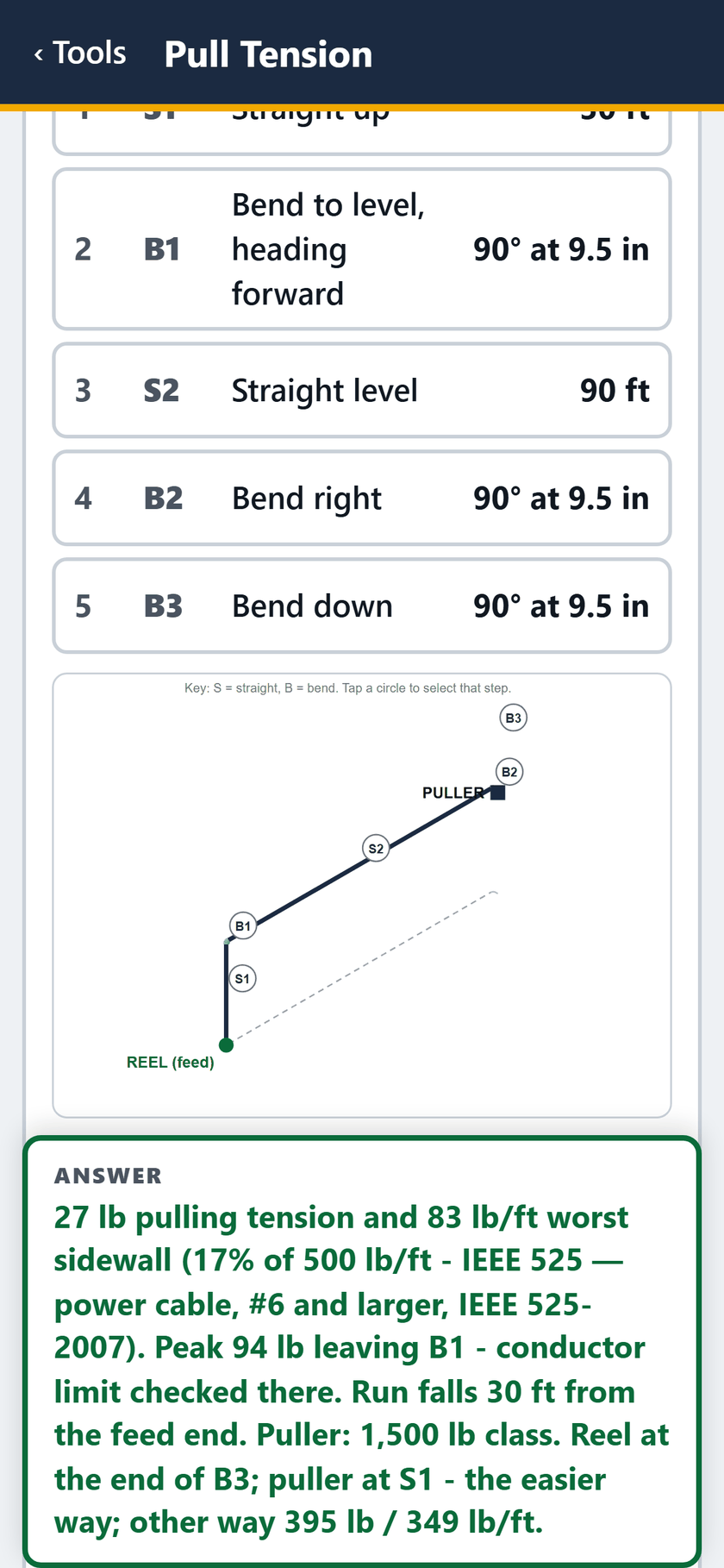
  9. Pull Tension screen: Segment 5: a 90 down.

    STEP 9 OF 27Segment 5: a 90 down.

  10. Pull Tension screen: Segment 6: straight down 30 feet. The answer: 279 lb, 306 lb/ft.
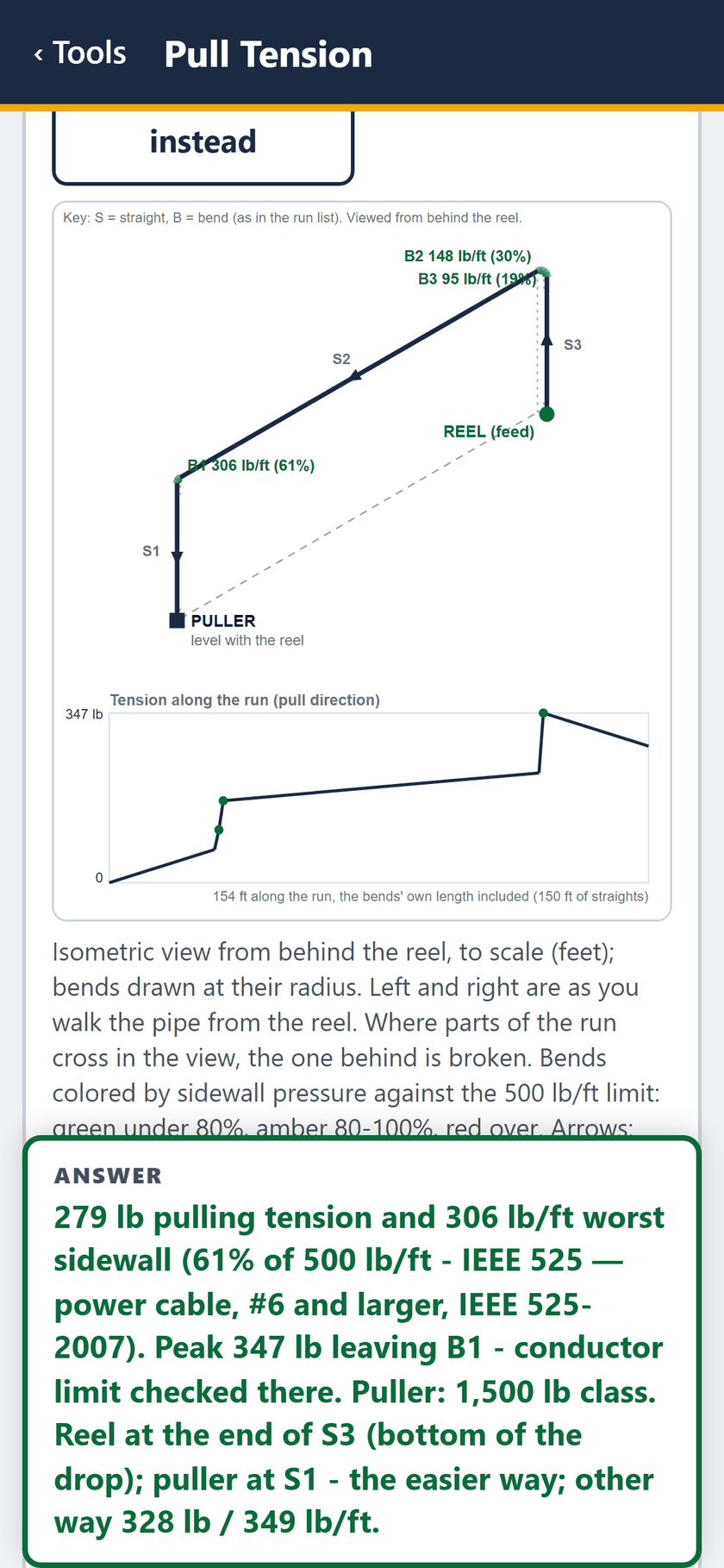
    STEP 10 OF 27Segment 6: straight down 30 feet. The answer: 279 lb, 306 lb/ft.

  11. Pull Tension screen: The run, drawn: each bend with its sidewall pressure, and tension along the run.
    STEP 11 OF 27The run, drawn: each bend with its sidewall pressure, and tension along the run.

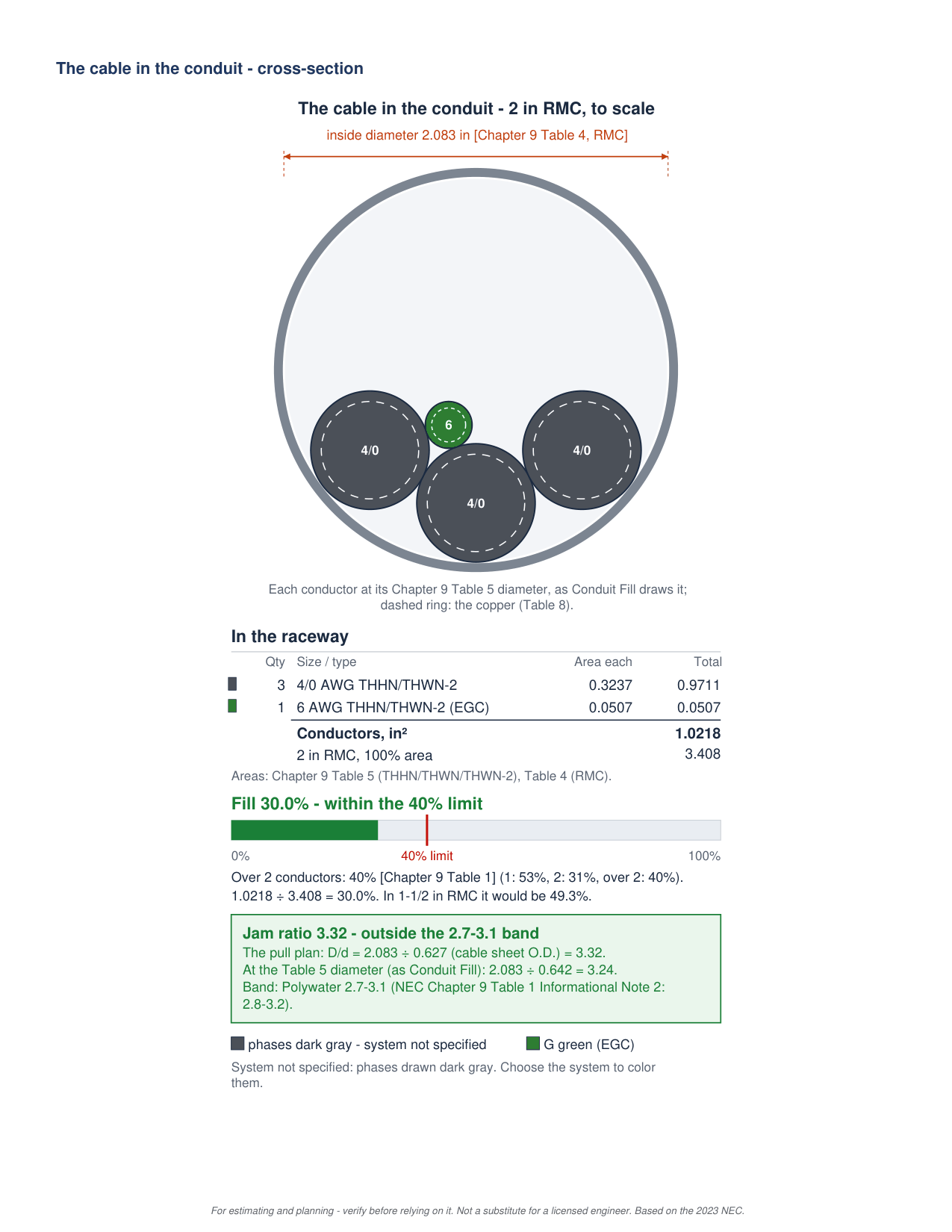
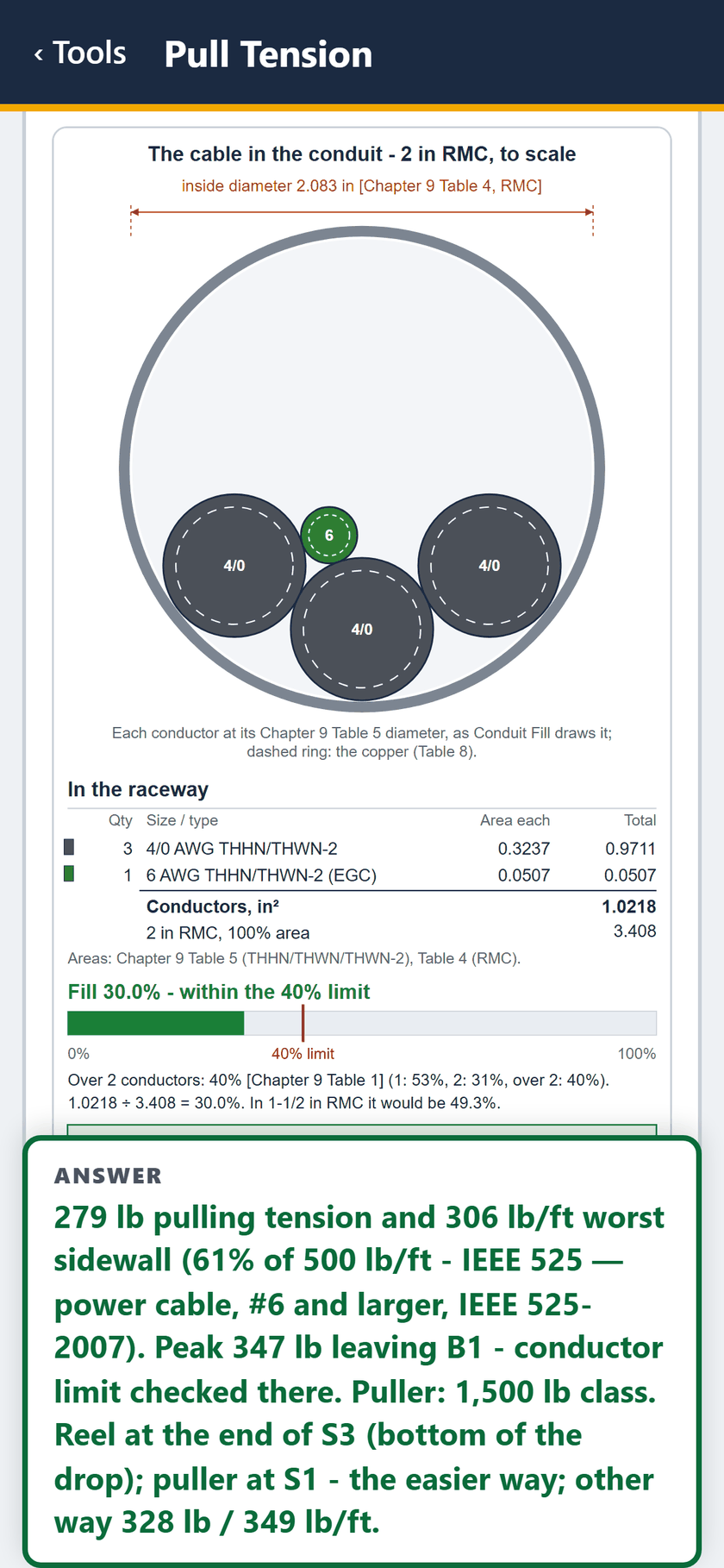
  12. Pull Tension screen: The cable in the conduit, to scale: 30 percent fill.
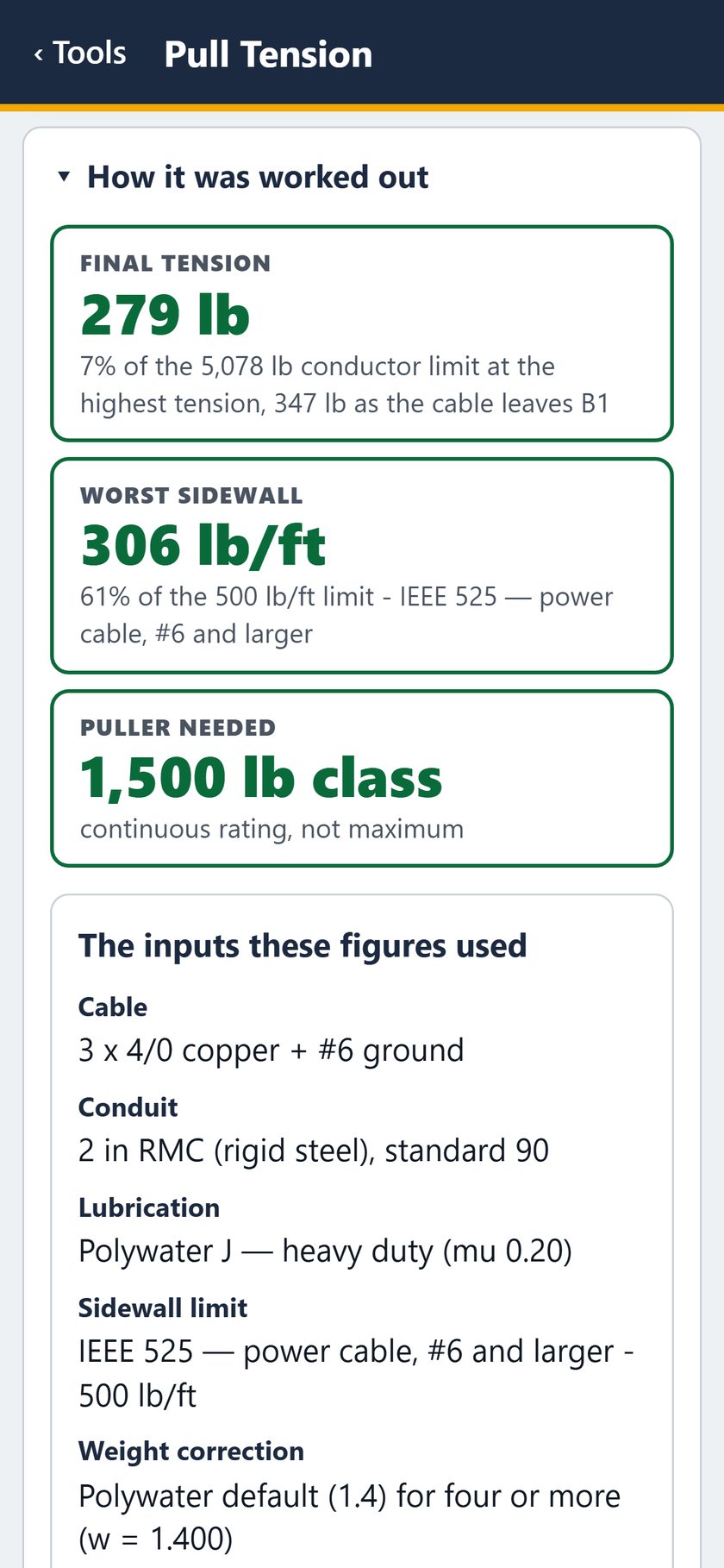
    STEP 12 OF 27The cable in the conduit, to scale: 30 percent fill.

  13. Pull Tension screen: How it was worked out: 279 lb, 306 lb/ft, a 1,500 lb class puller.
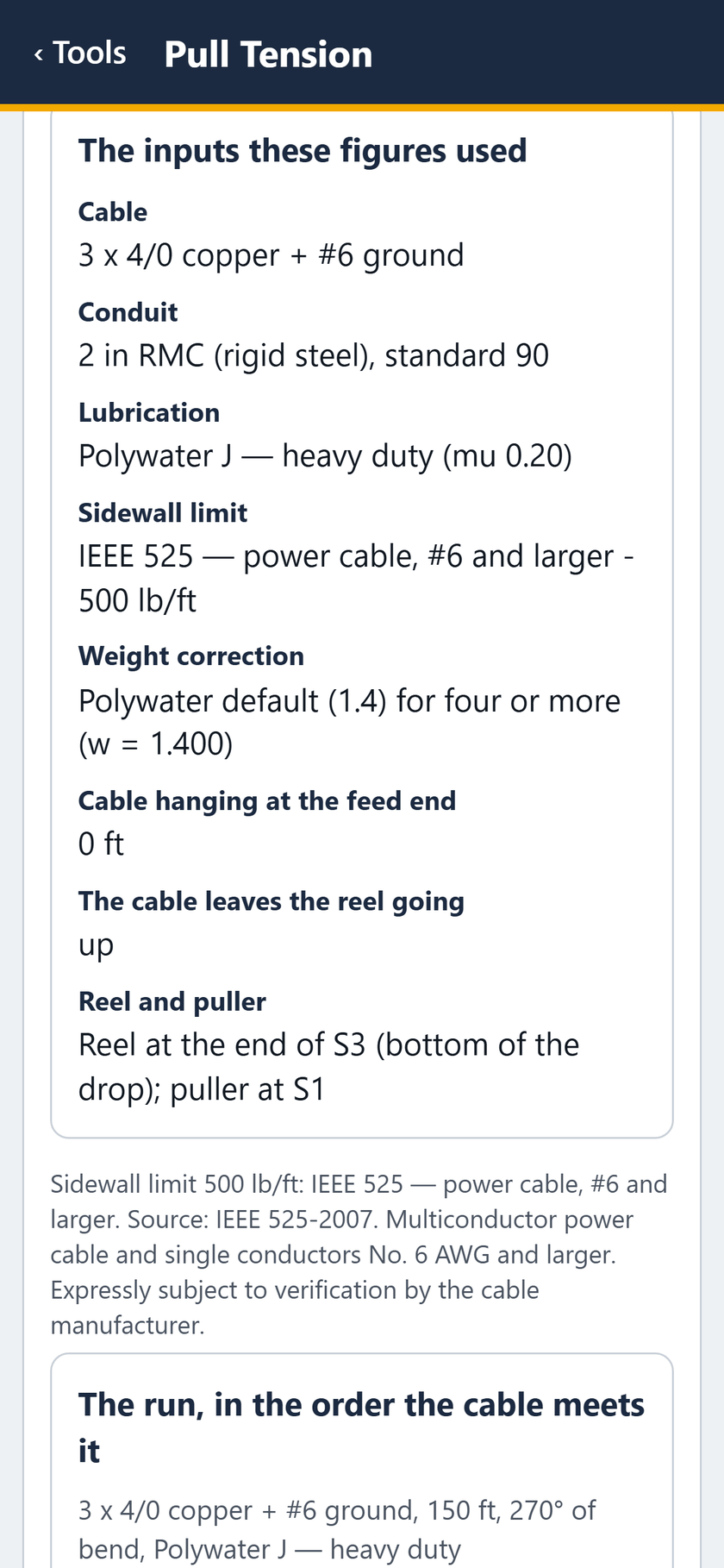
    STEP 13 OF 27How it was worked out: 279 lb, 306 lb/ft, a 1,500 lb class puller.

  14. Pull Tension screen: The inputs these figures used.

    STEP 14 OF 27The inputs these figures used.
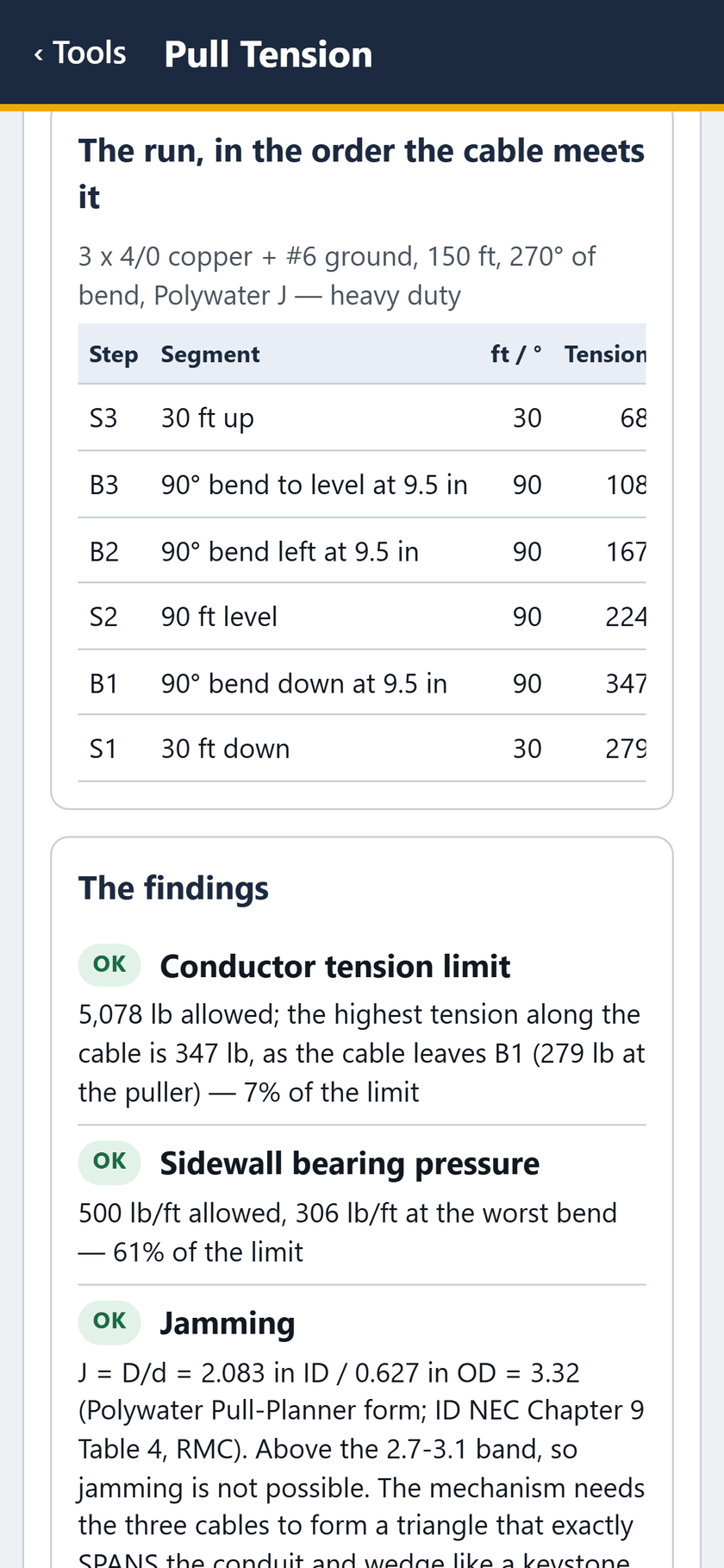
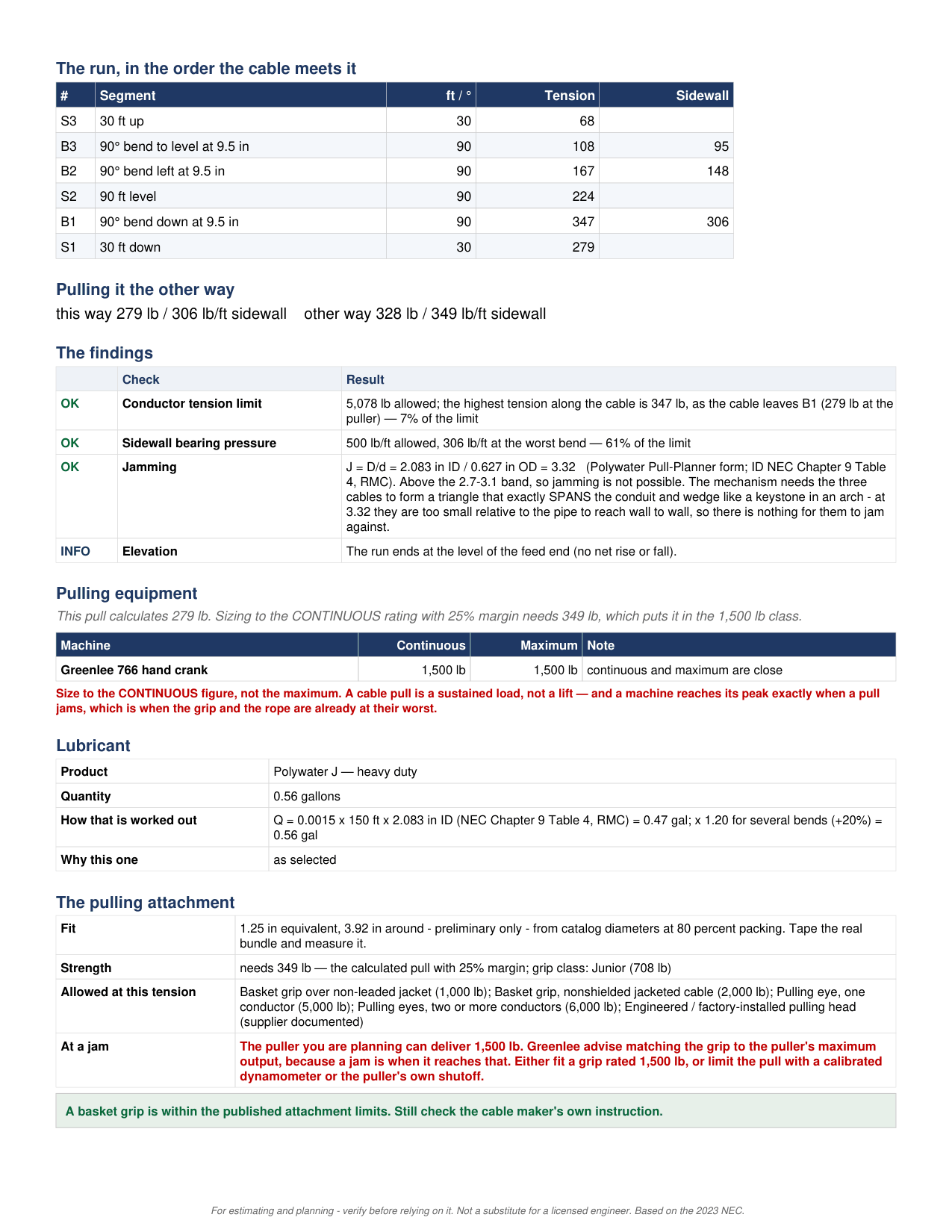
  15. Pull Tension screen: The run, step by step, in the order the cable meets it.
    STEP 15 OF 27The run, step by step, in the order the cable meets it.

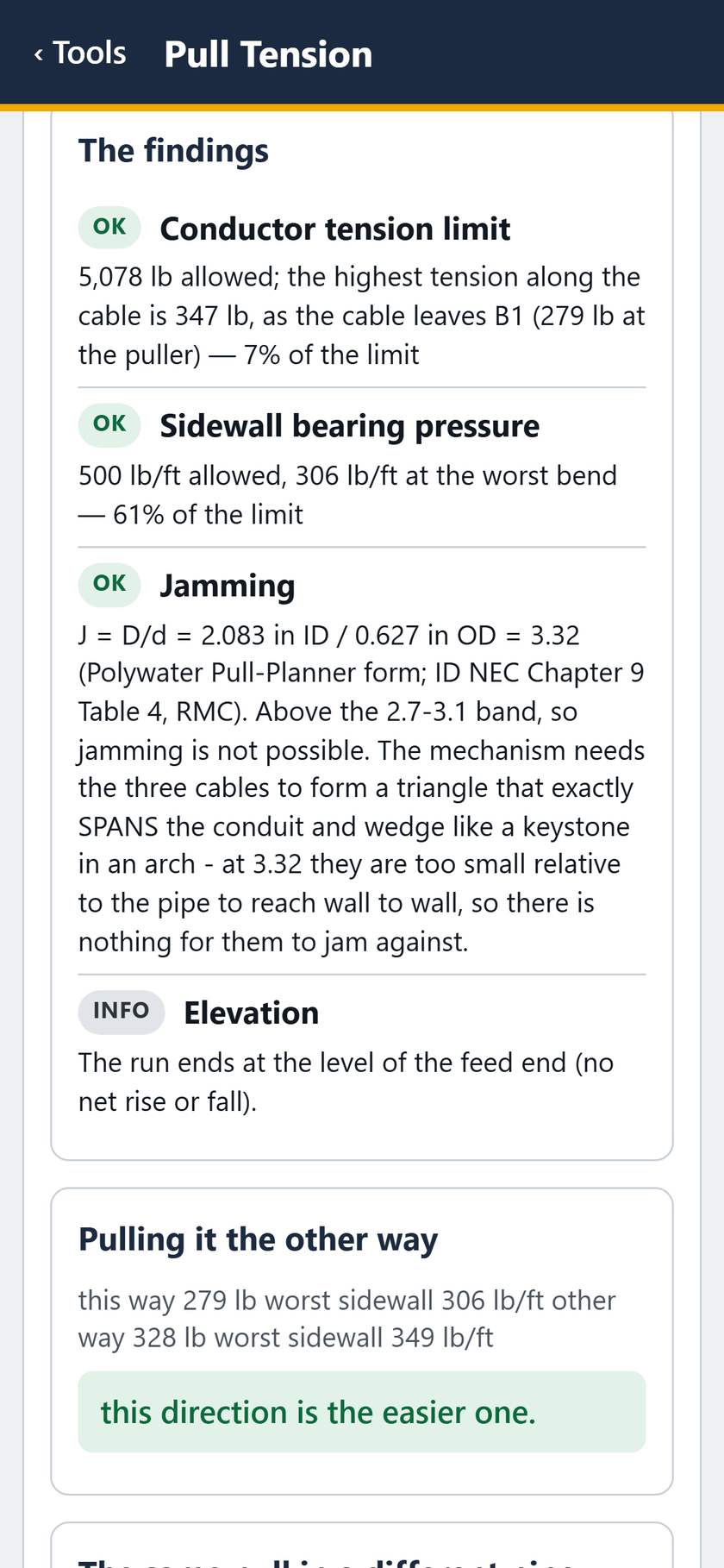
  16. Pull Tension screen: The findings: tension, sidewall and jamming all OK.
    STEP 16 OF 27The findings: tension, sidewall and jamming all OK.

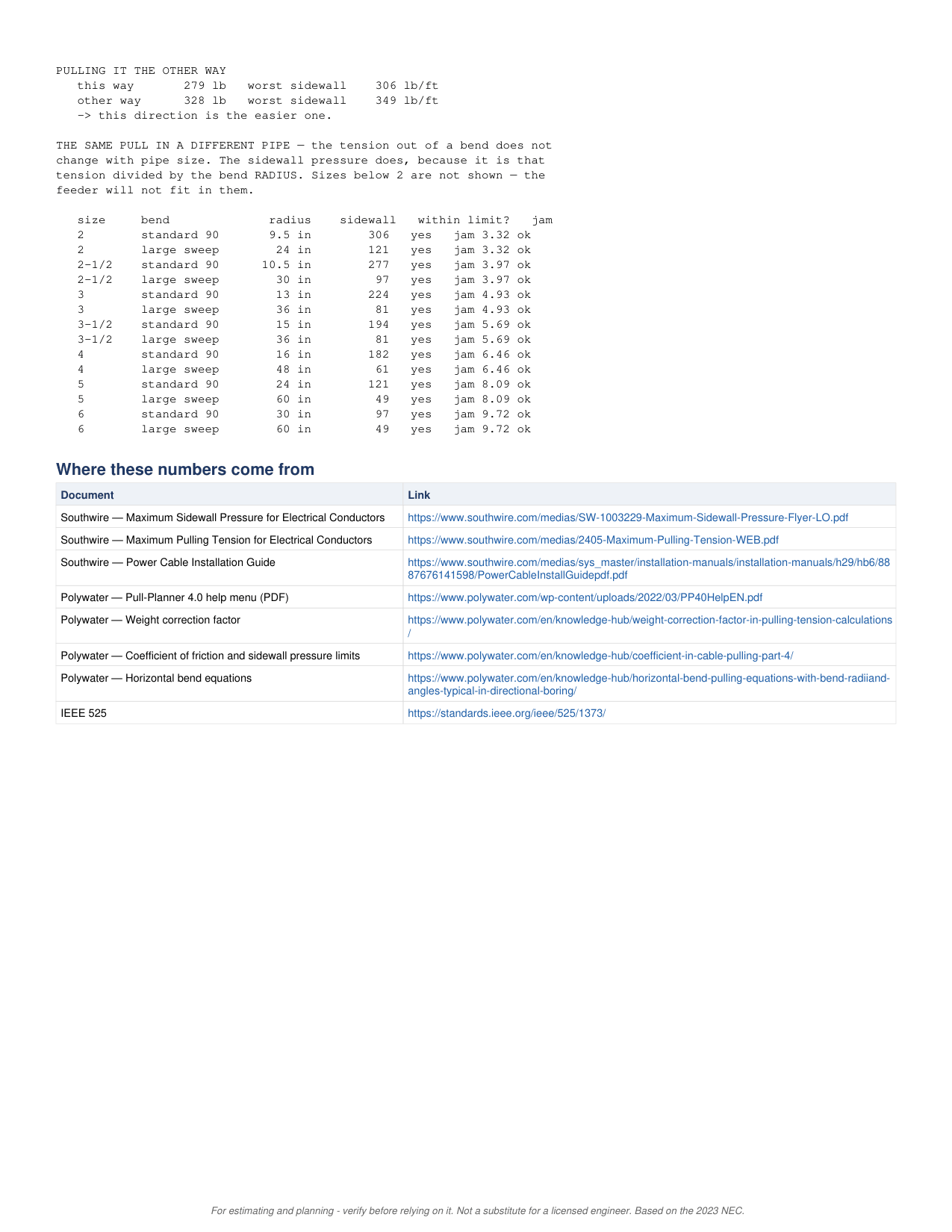
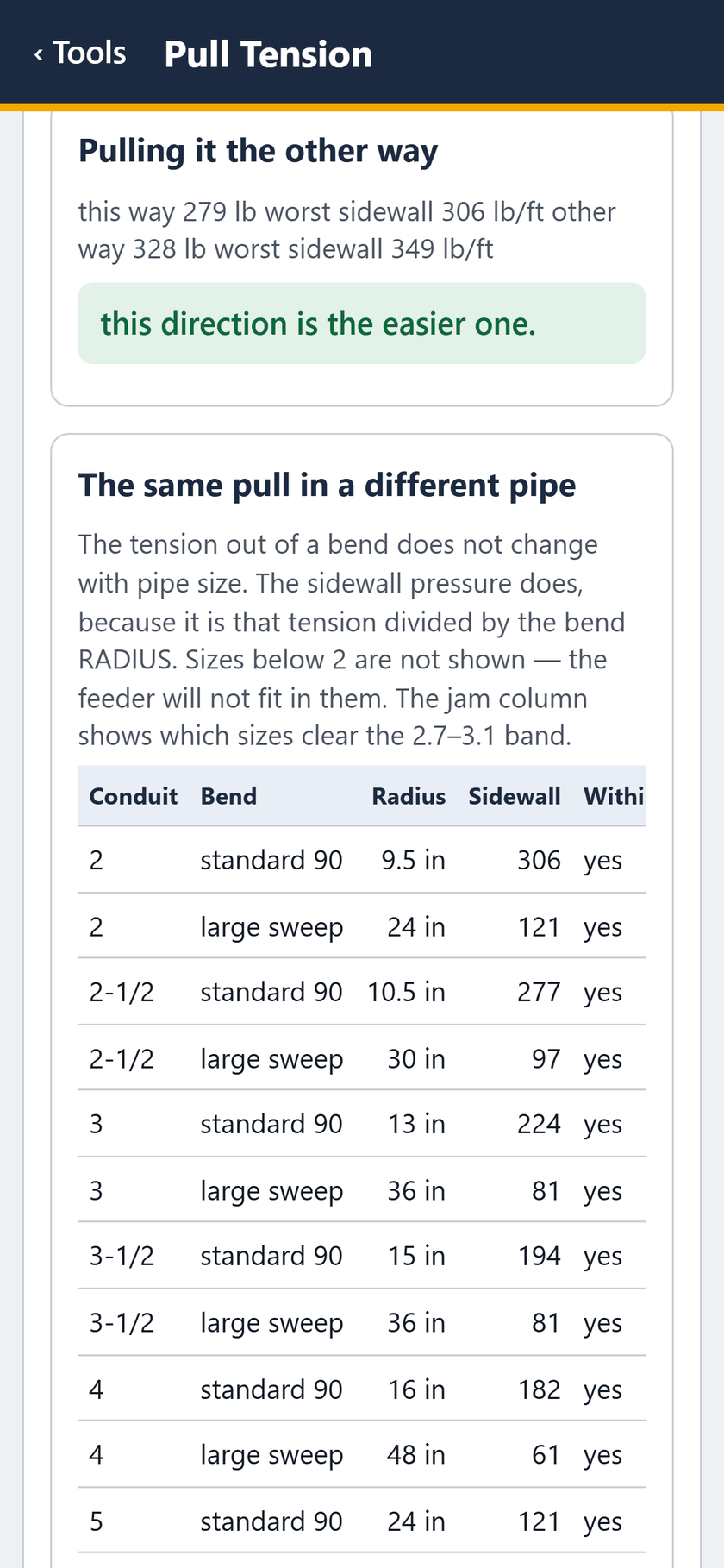
  17. Pull Tension screen: The other way: 328 lb and 349 lb/ft. This way is easier.
    STEP 17 OF 27The other way: 328 lb and 349 lb/ft. This way is easier.

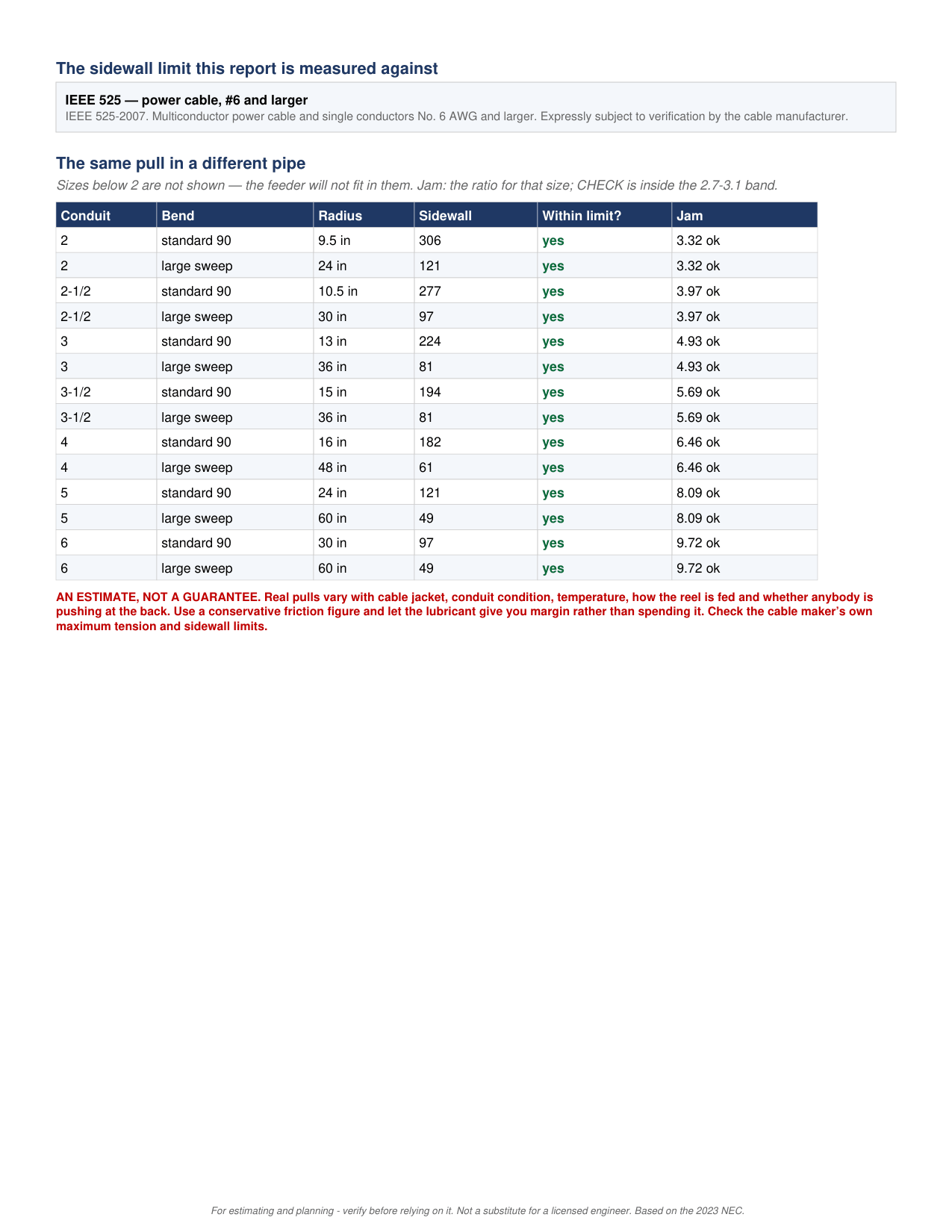
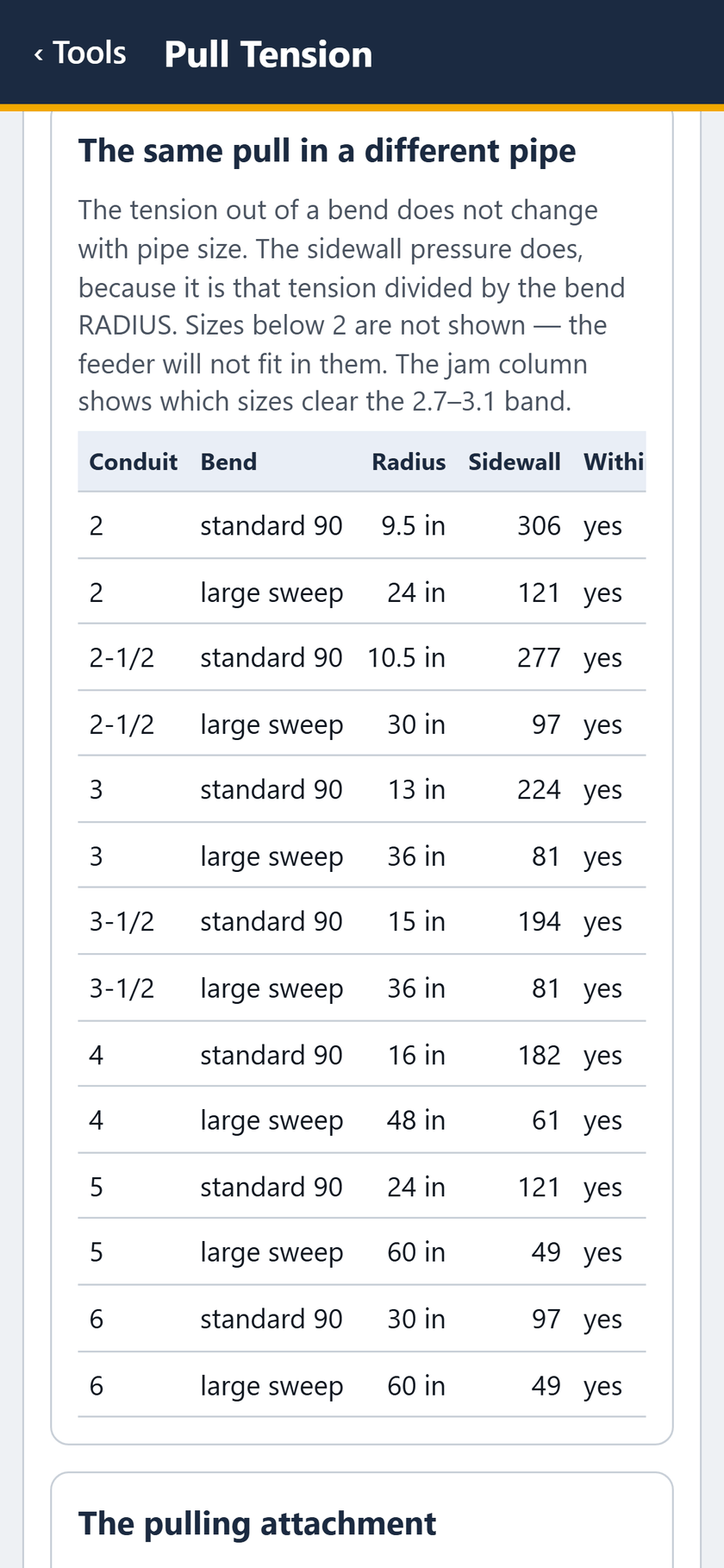
  18. Pull Tension screen: The same pull in a different pipe: every size, standard 90 and large sweep.
    STEP 18 OF 27The same pull in a different pipe: every size, standard 90 and large sweep.

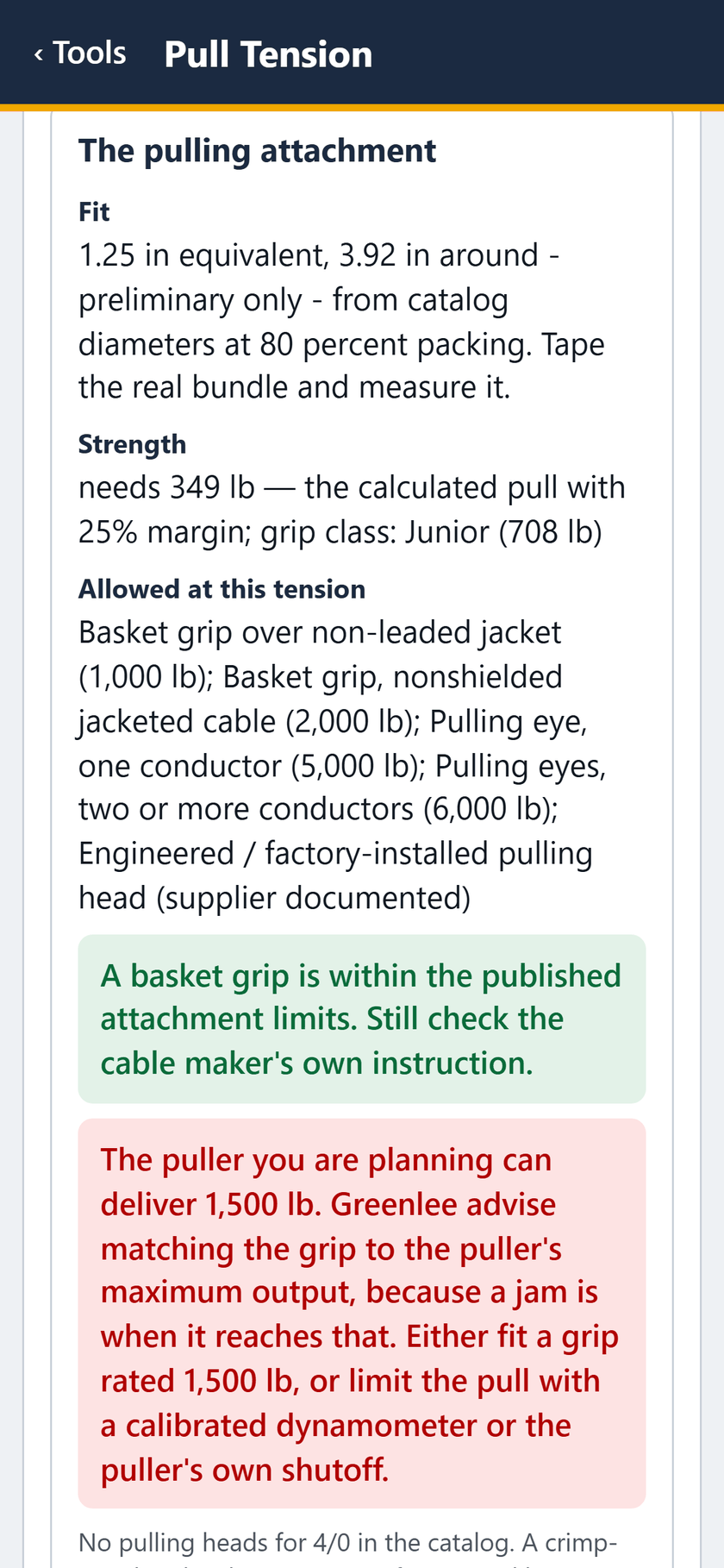
  19. Pull Tension screen: The pulling attachment: a basket grip is within the published limits.
    STEP 19 OF 27The pulling attachment: a basket grip is within the published limits.

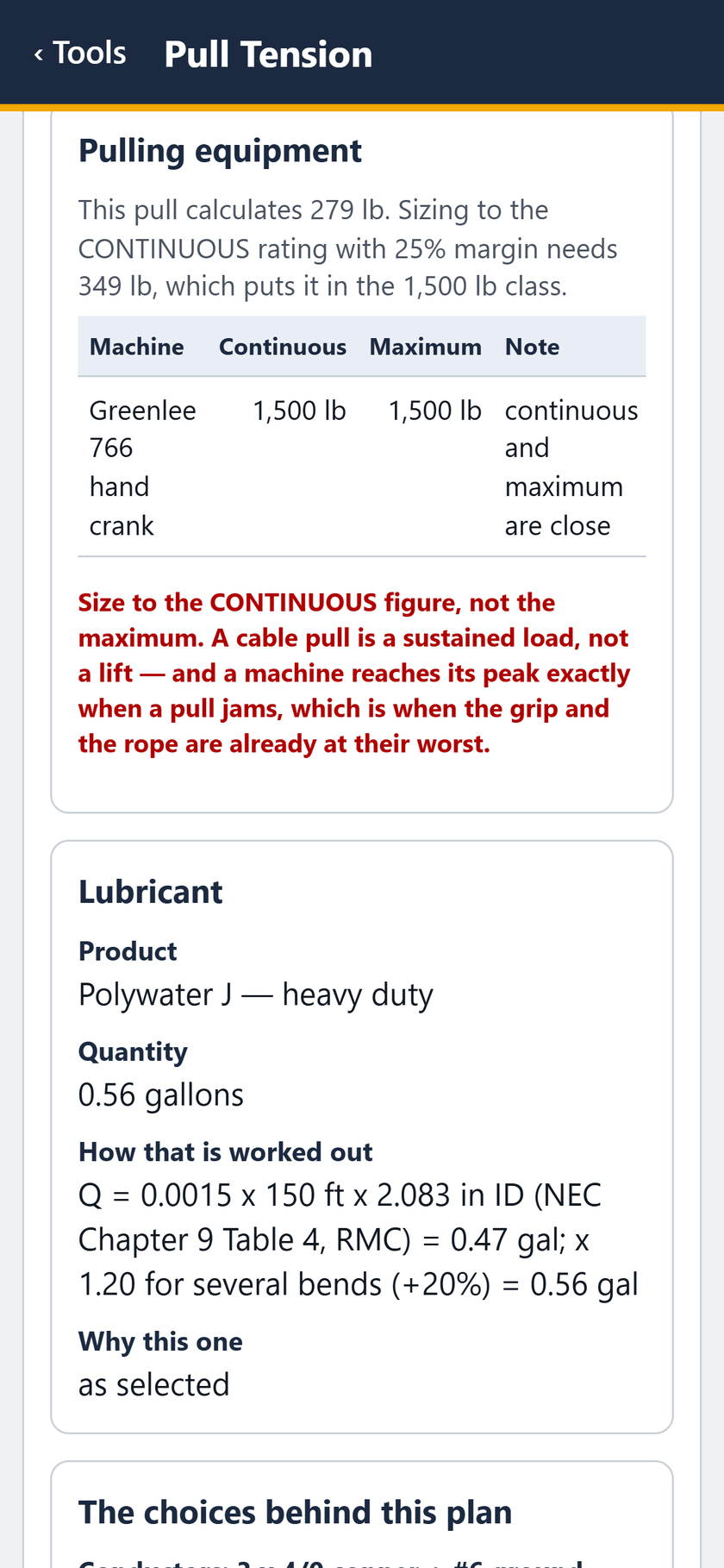
  20. Pull Tension screen: Pulling equipment: a 1,500 lb class puller, sized to its continuous rating.
    STEP 20 OF 27Pulling equipment: a 1,500 lb class puller, sized to its continuous rating.

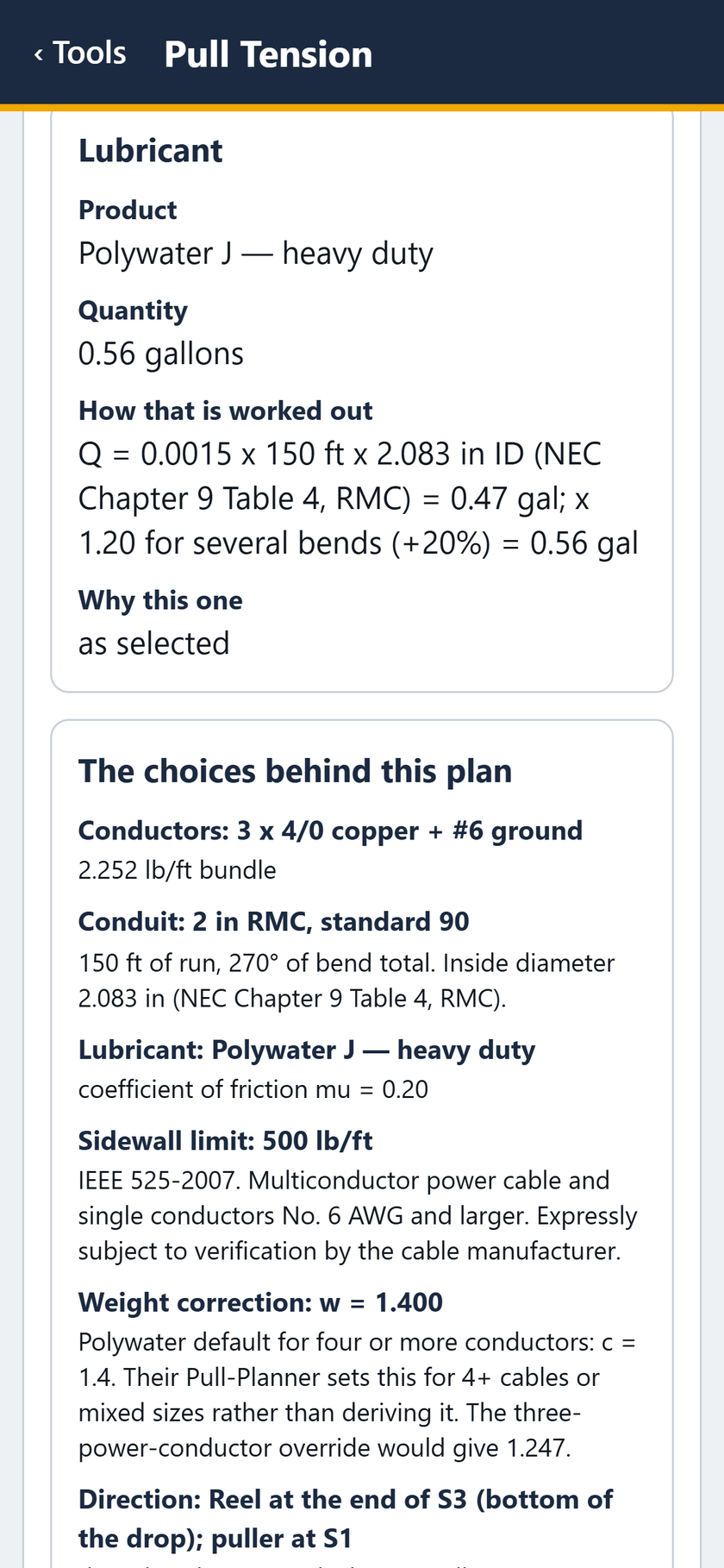
  21. Pull Tension screen: Lubricant: Polywater J, 0.56 gallons, and how that was worked out.
    STEP 21 OF 27Lubricant: Polywater J, 0.56 gallons, and how that was worked out.

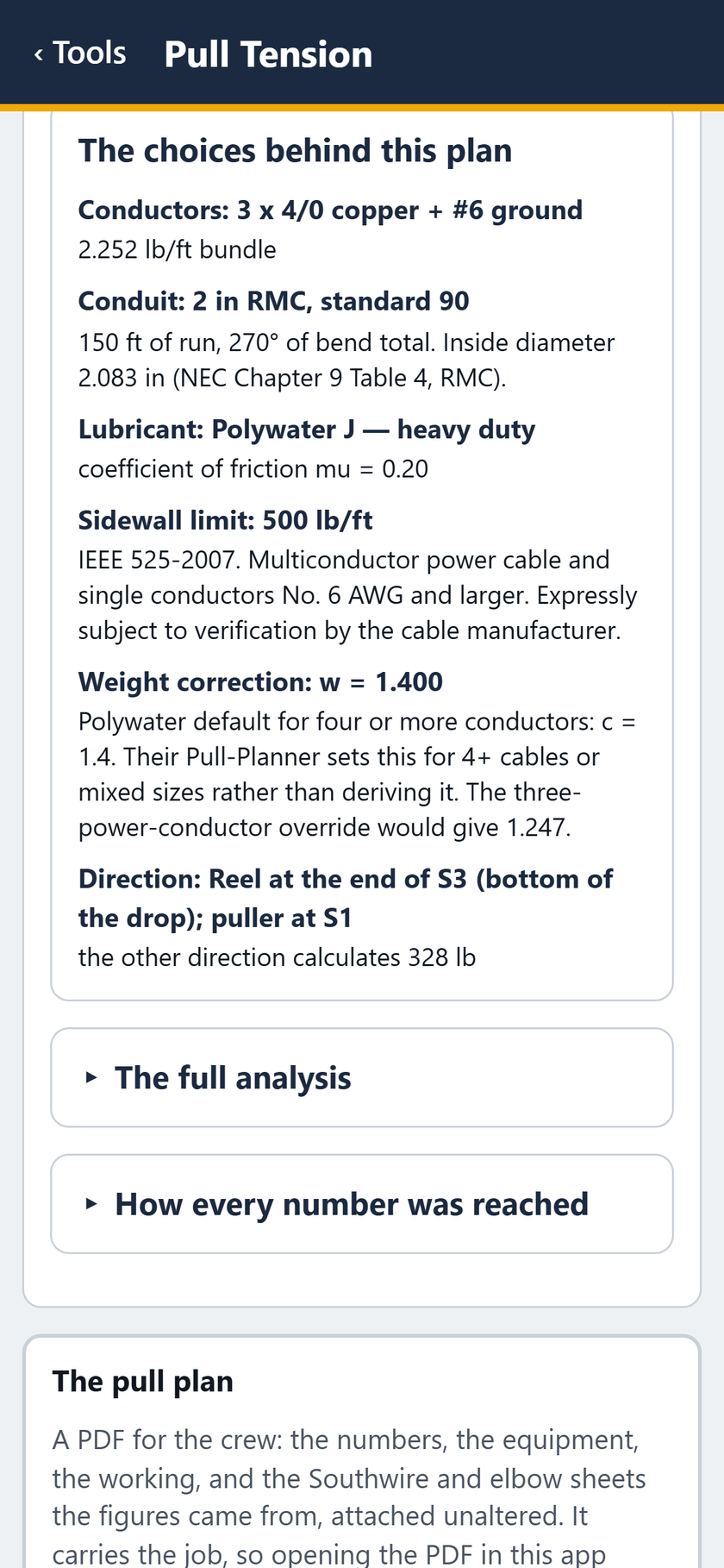
  22. Pull Tension screen: The choices behind this plan.

    STEP 22 OF 27The choices behind this plan.
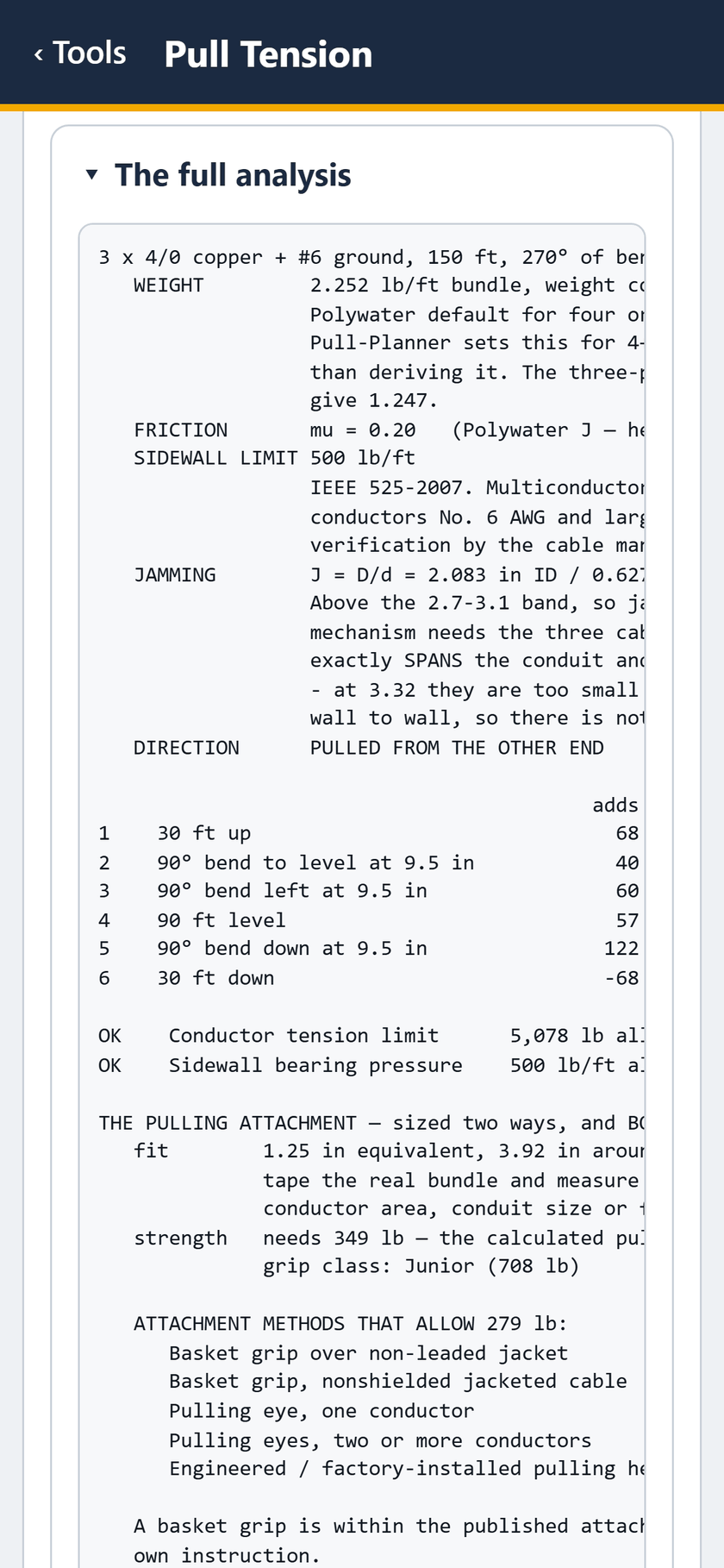
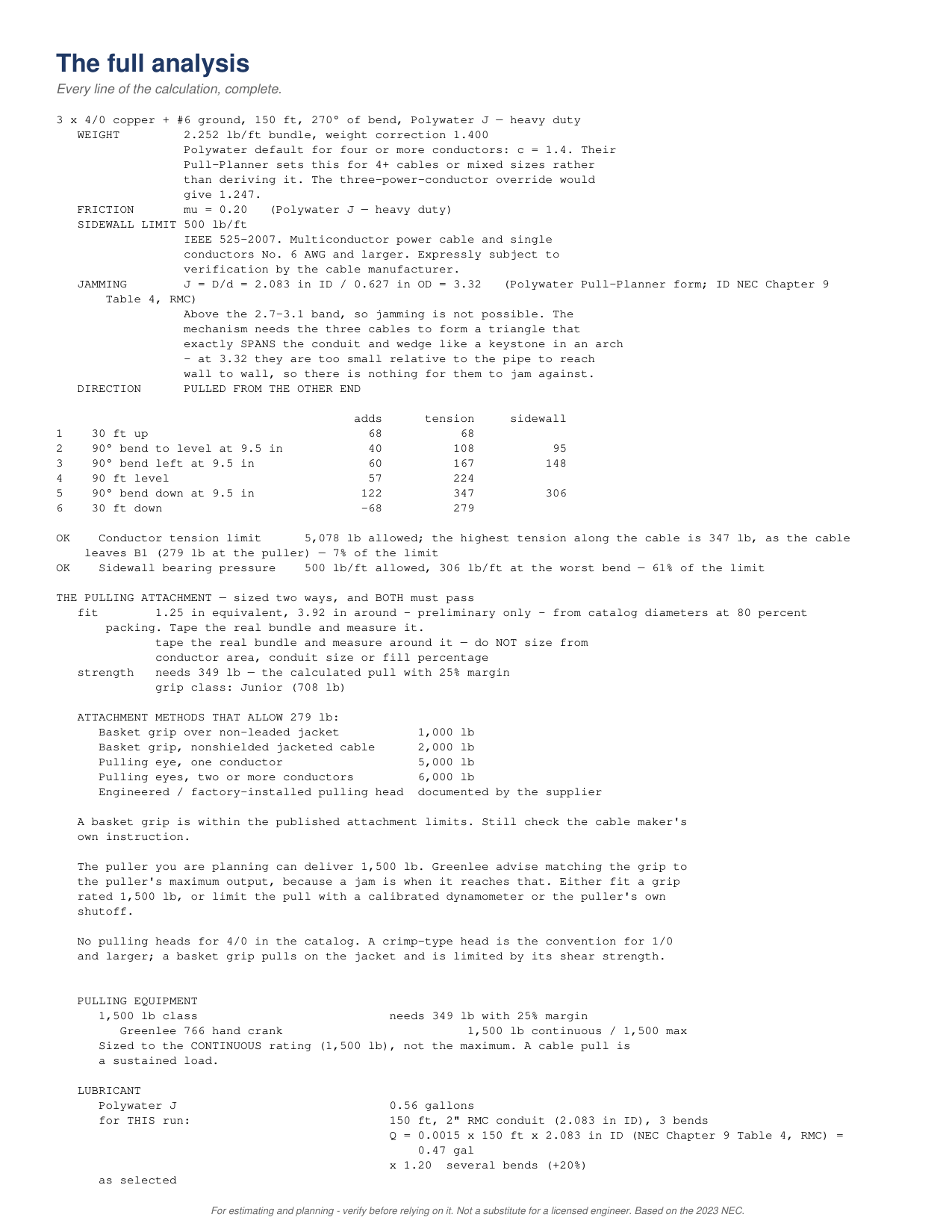
  23. Pull Tension screen: The full analysis, line by line.

    STEP 23 OF 27The full analysis, line by line.
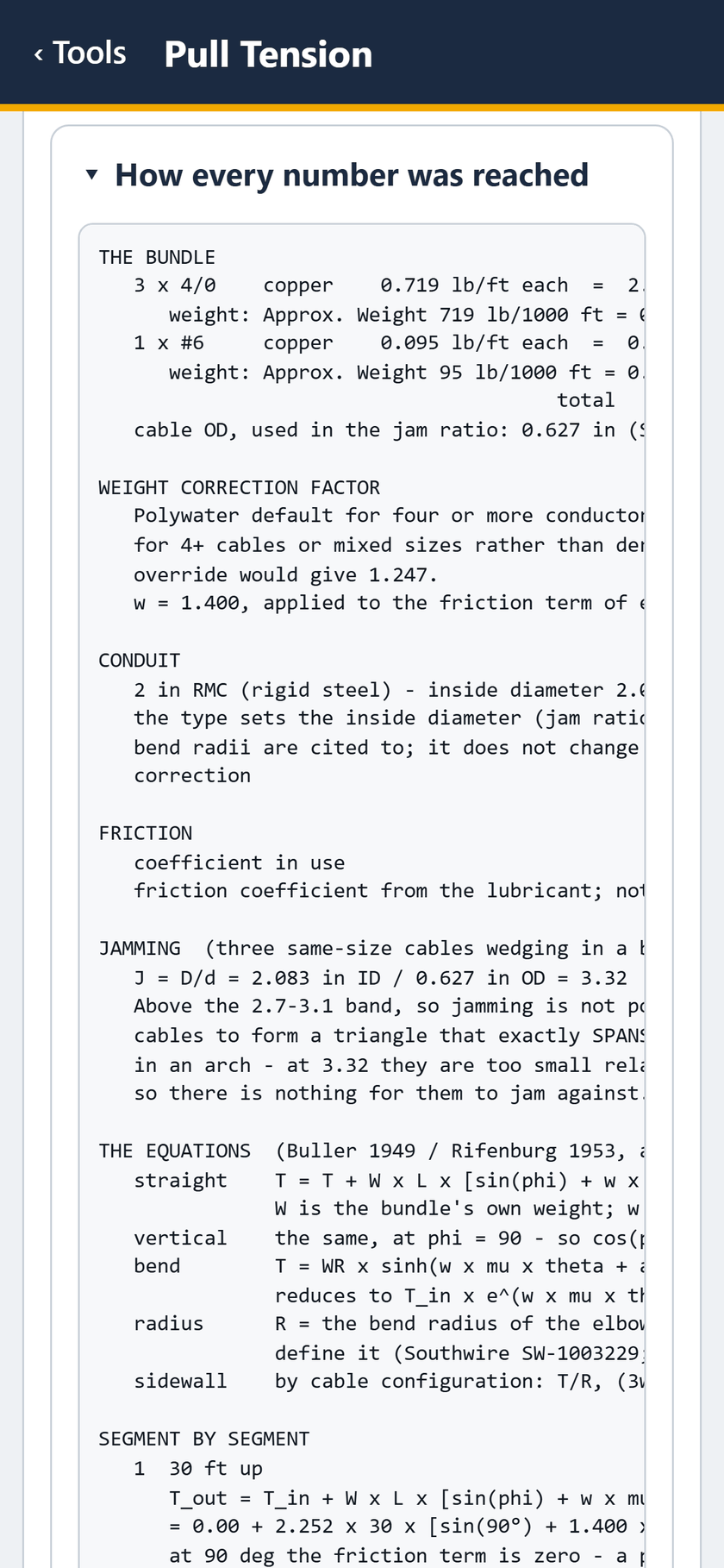
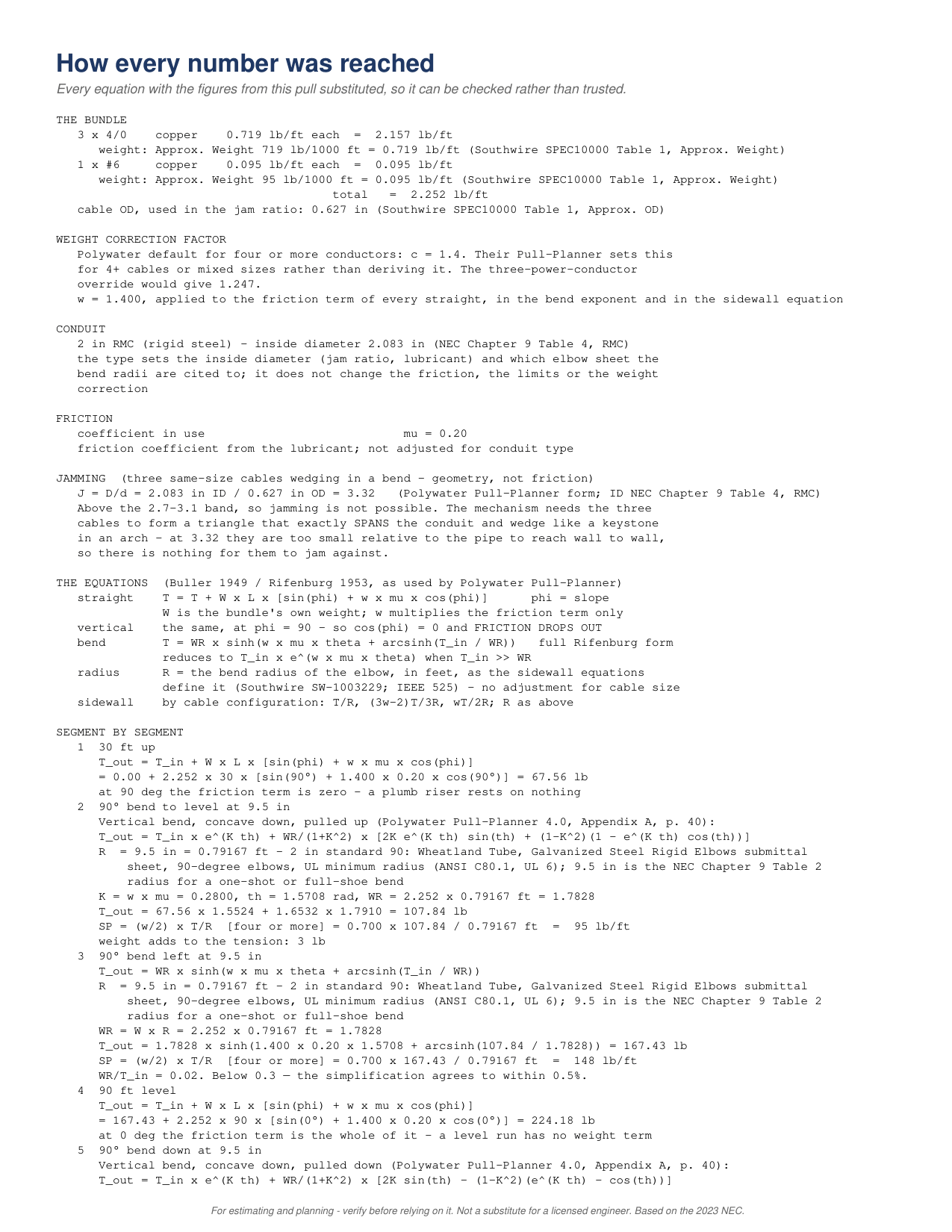
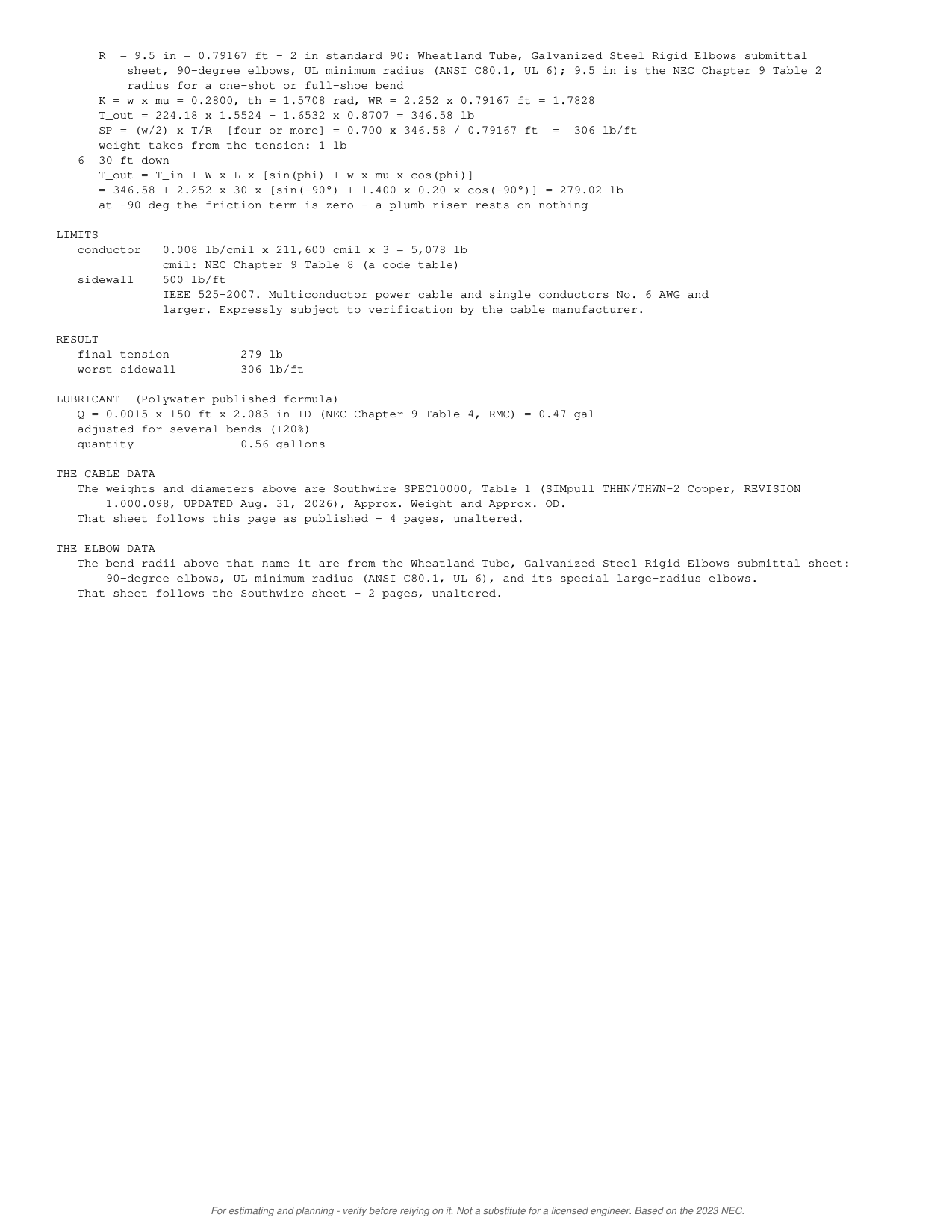
  24. Pull Tension screen: How every number was reached: each equation with this pull's figures.
    STEP 24 OF 27How every number was reached: each equation with this pull's figures.

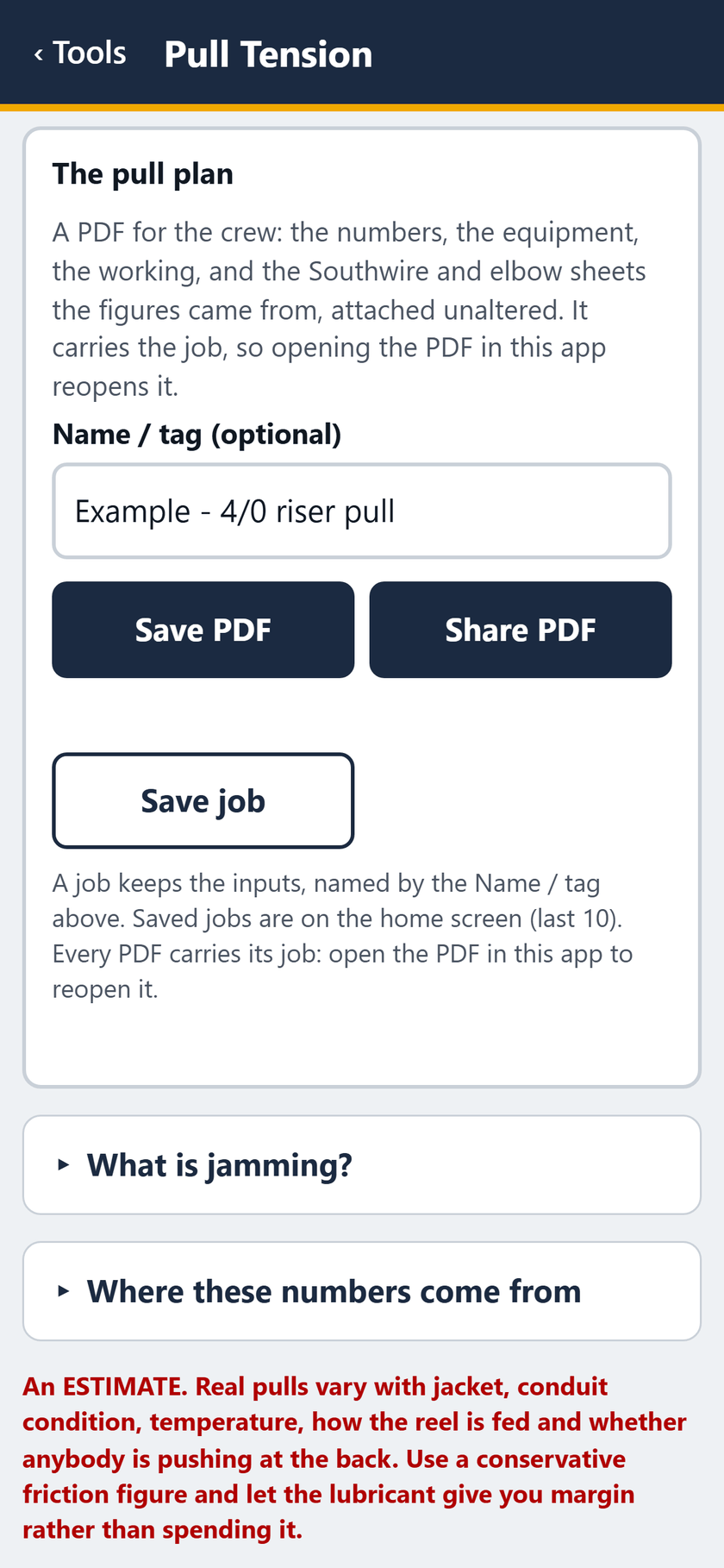
  25. Pull Tension screen: The pull plan: save or share the PDF, or save the job.
    STEP 25 OF 27The pull plan: save or share the PDF, or save the job.

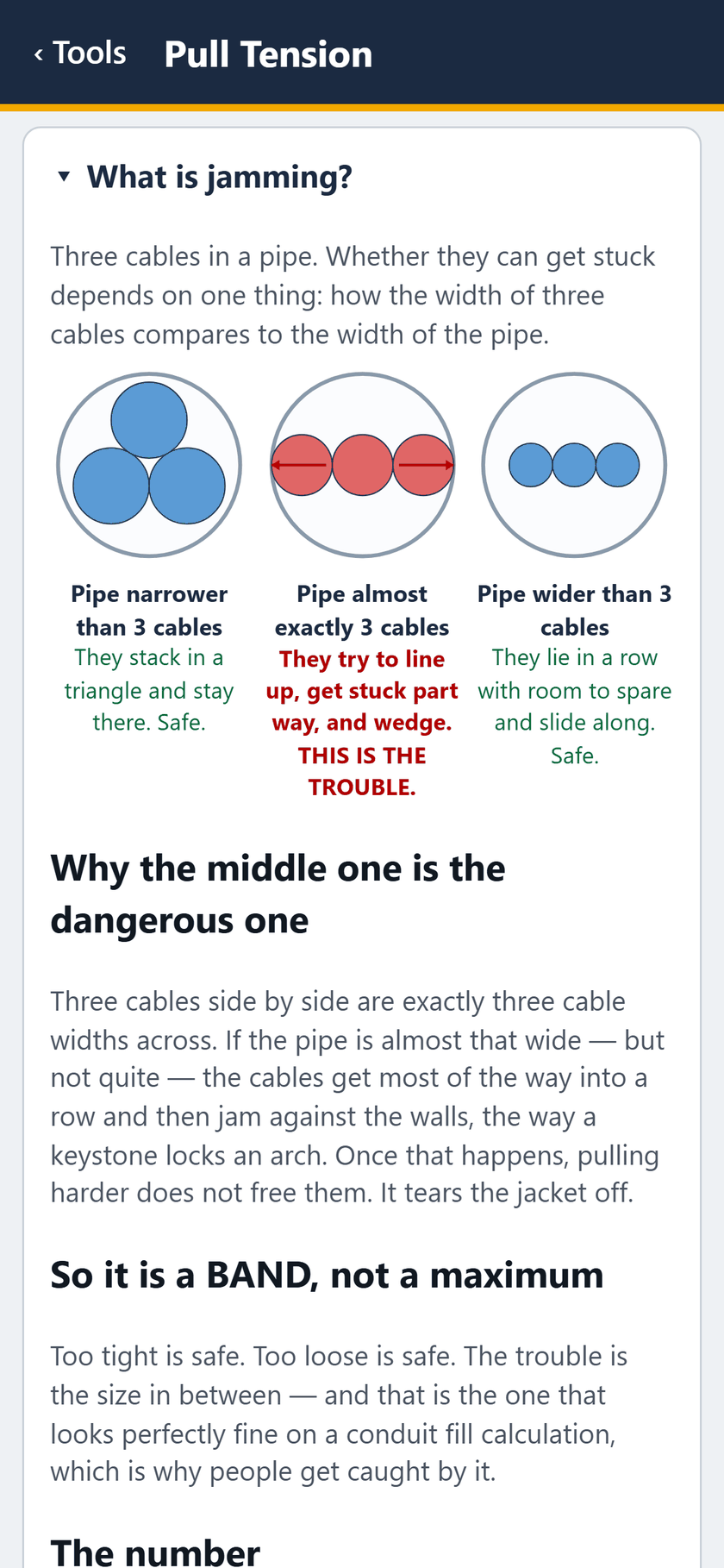
  26. Pull Tension screen: What is jamming? The app's own explanation, opened.
    STEP 26 OF 27What is jamming? The app's own explanation, opened.

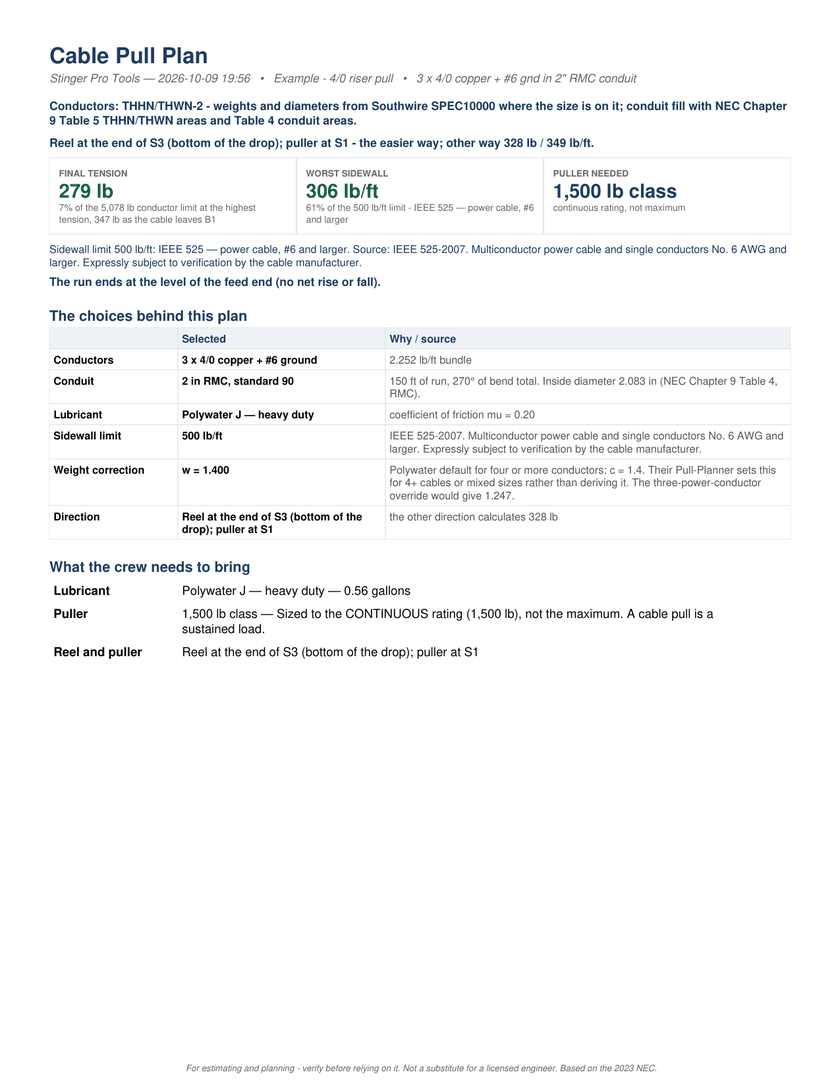
  27. Page 1 of the PDF report: The PDF, page 1: the plan for the crew.

    STEP 27 OF 27The PDF, page 1: the plan for the crew.

B

One job, start to finish — video

The same 27 screens with the captions burned in. No sound.

MP4, 3.0 MB, 28 seconds.

The report

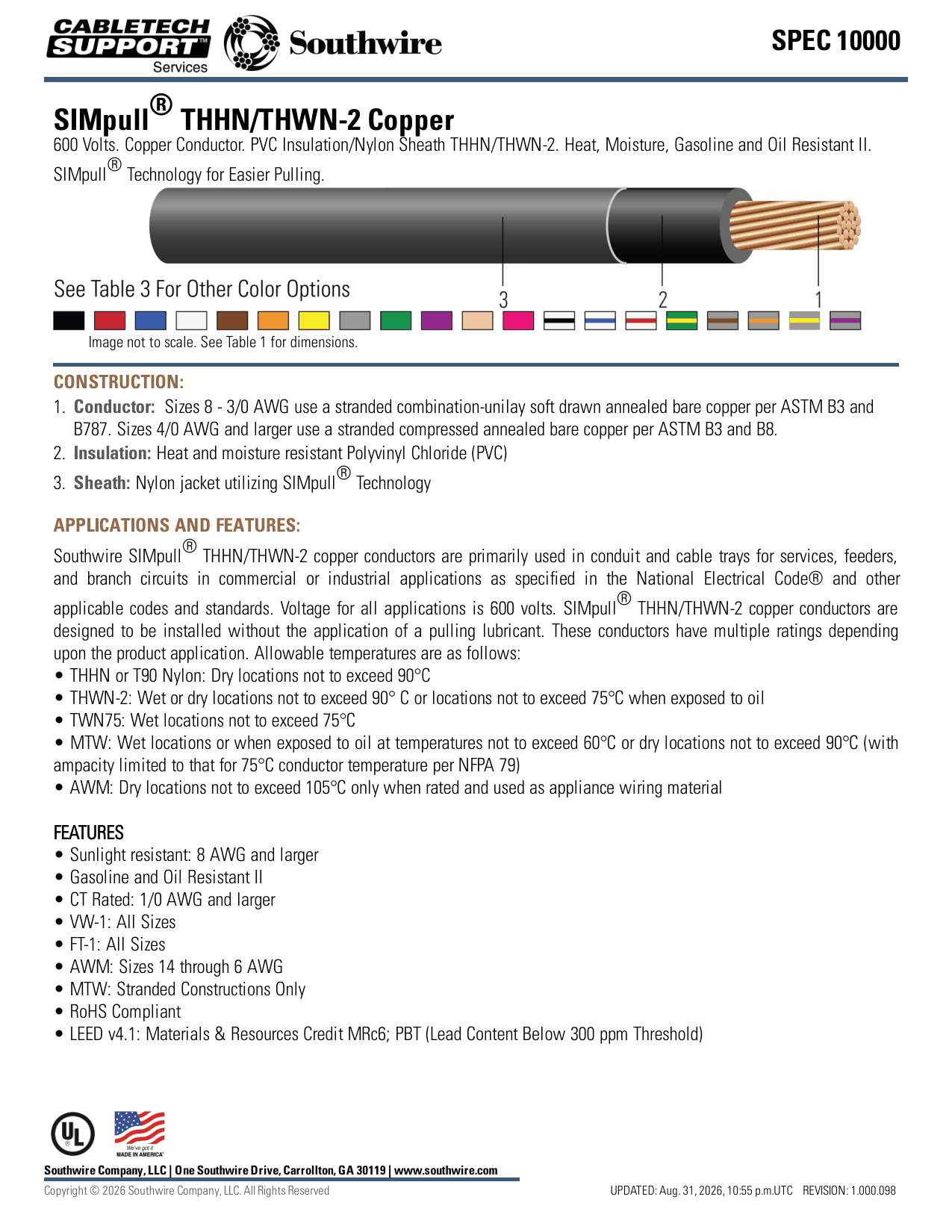
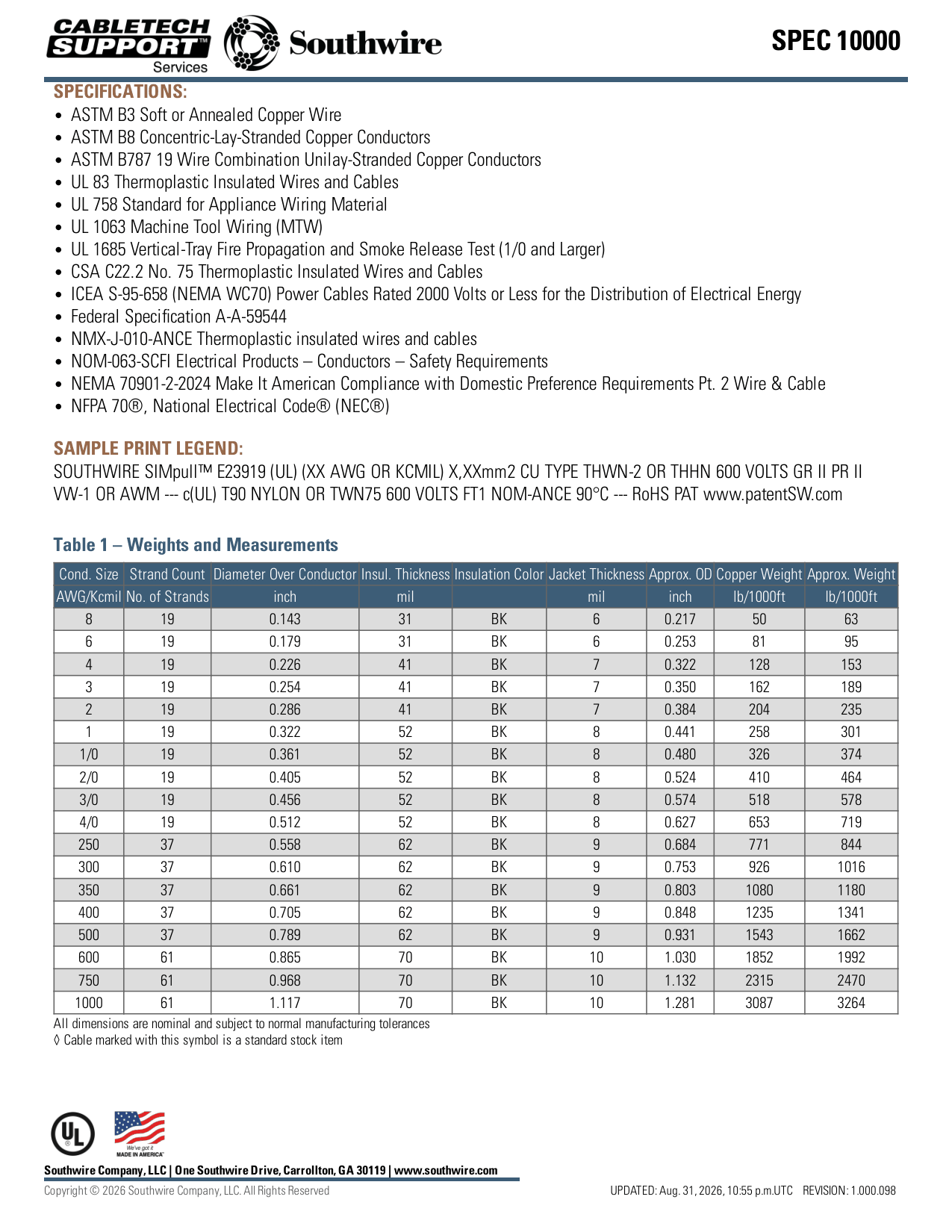
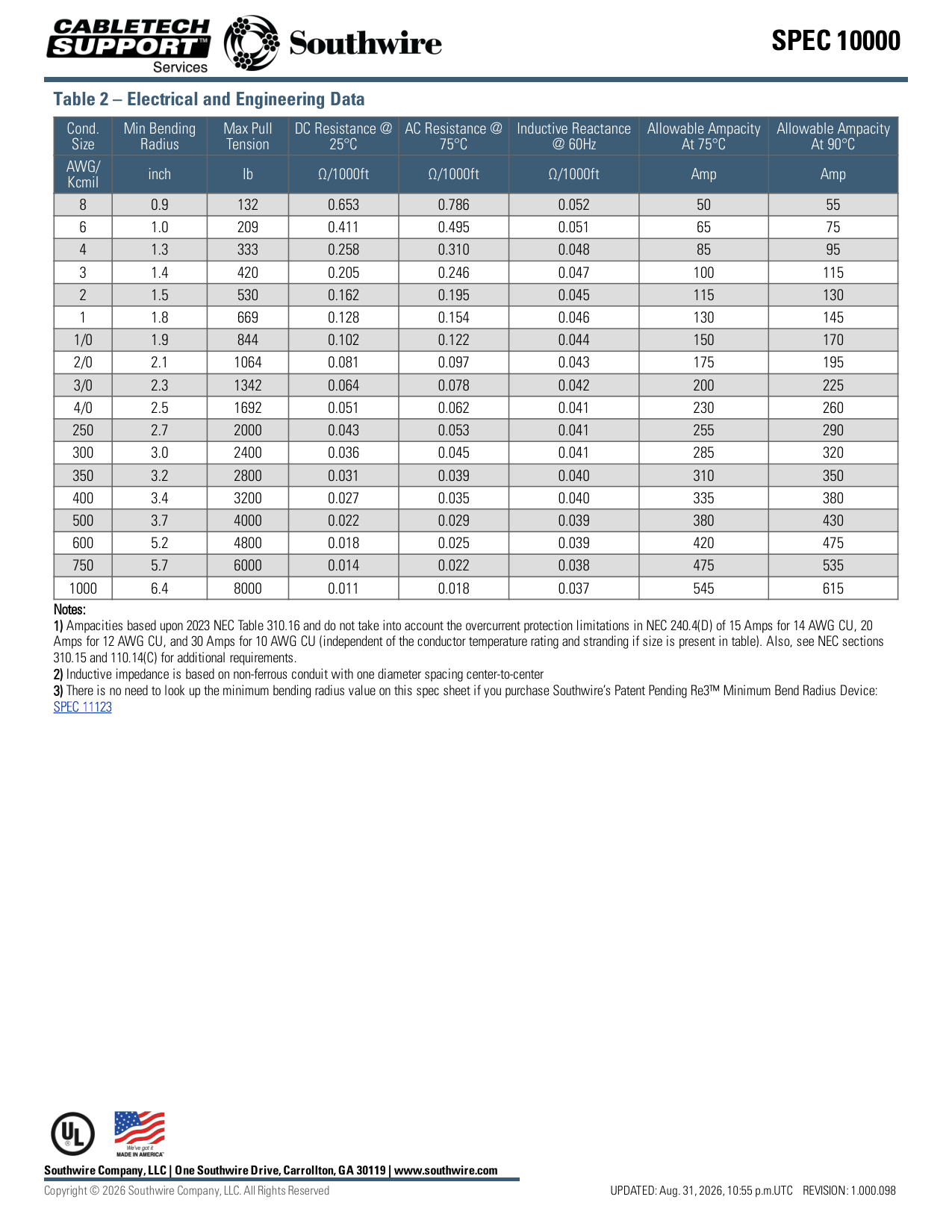
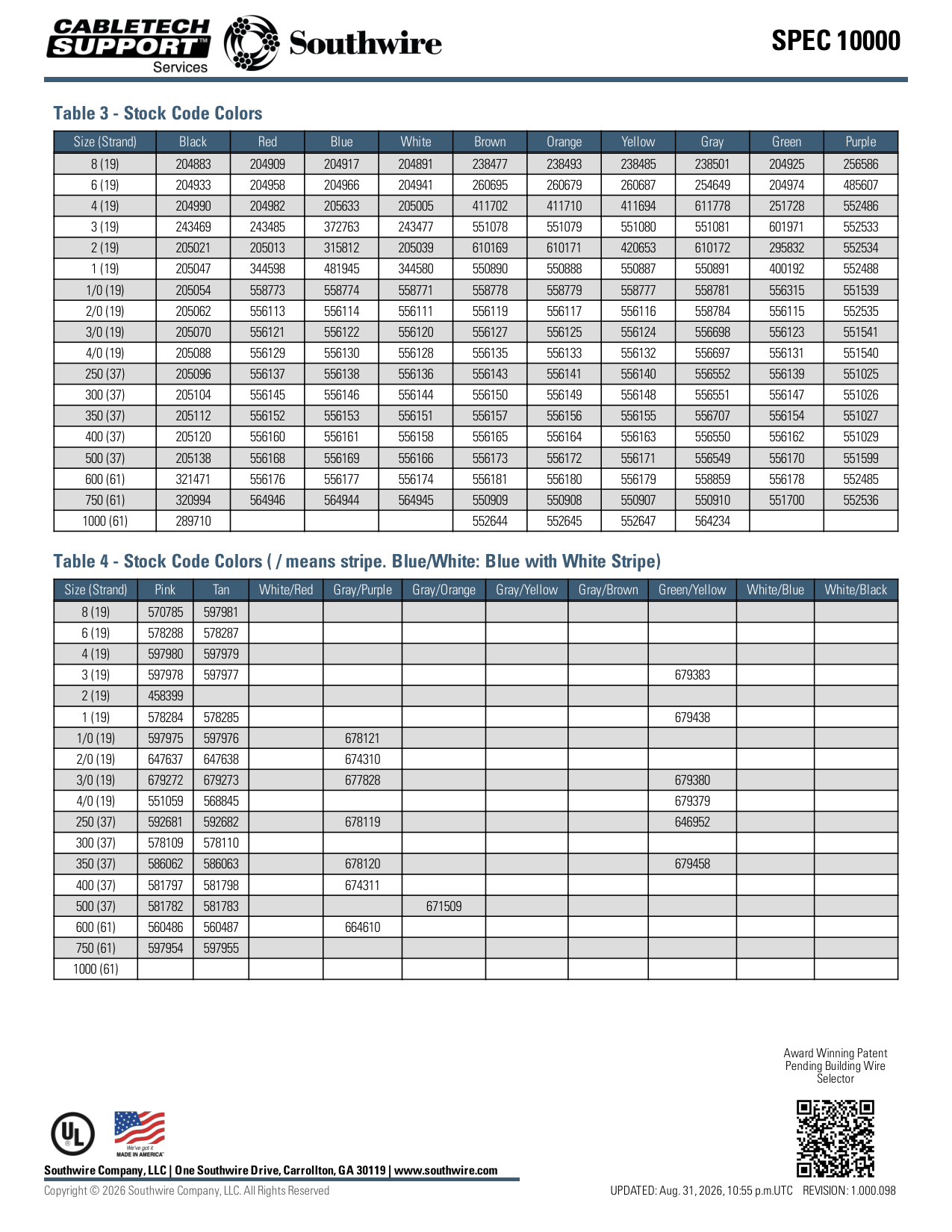
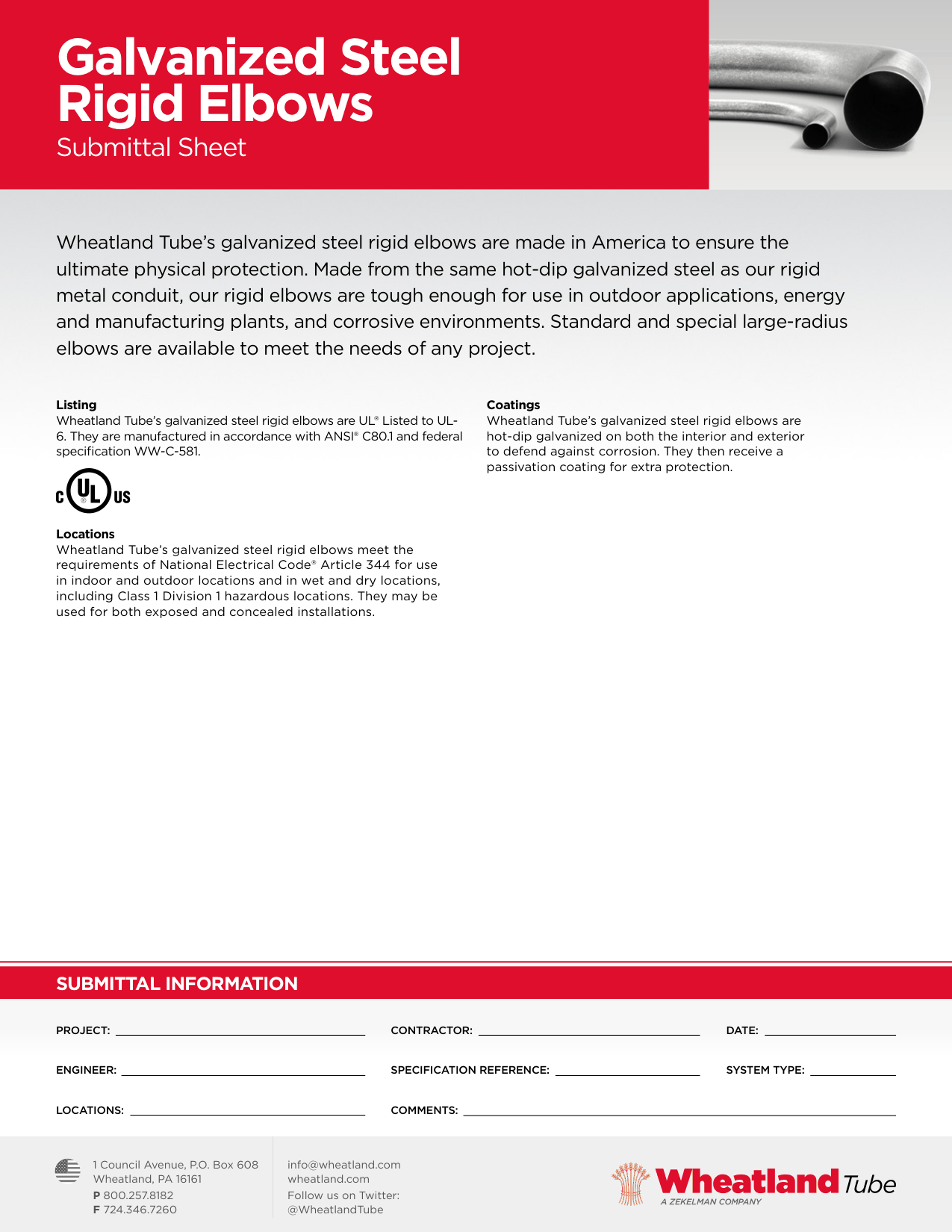
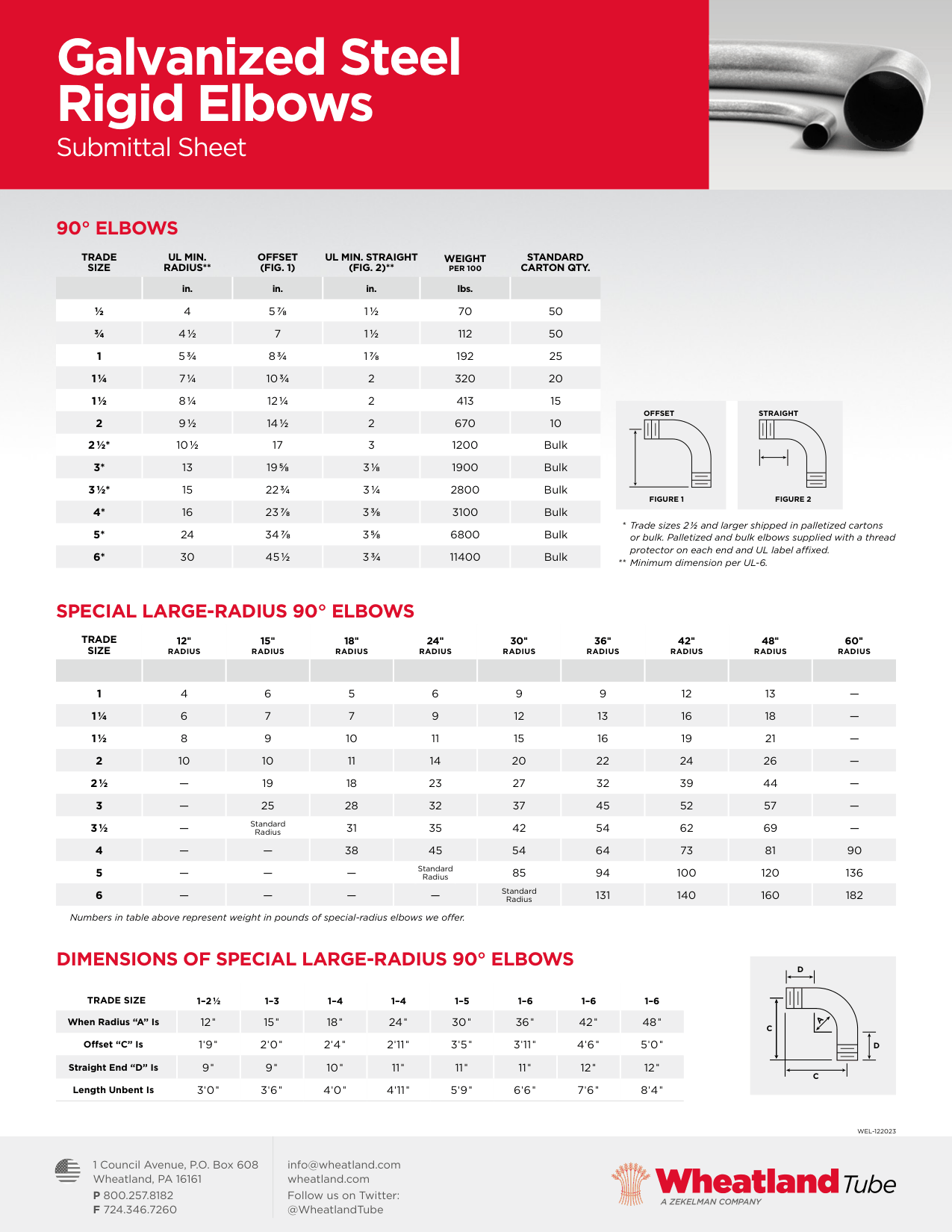
The pull plan PDF for the same job, all 15 pages as the app writes it: the plan on pages 1 to 9, then the Southwire cable sheet (pages 10 to 13) and the Wheatland elbow sheet (pages 14 and 15) it was worked from, attached unaltered.
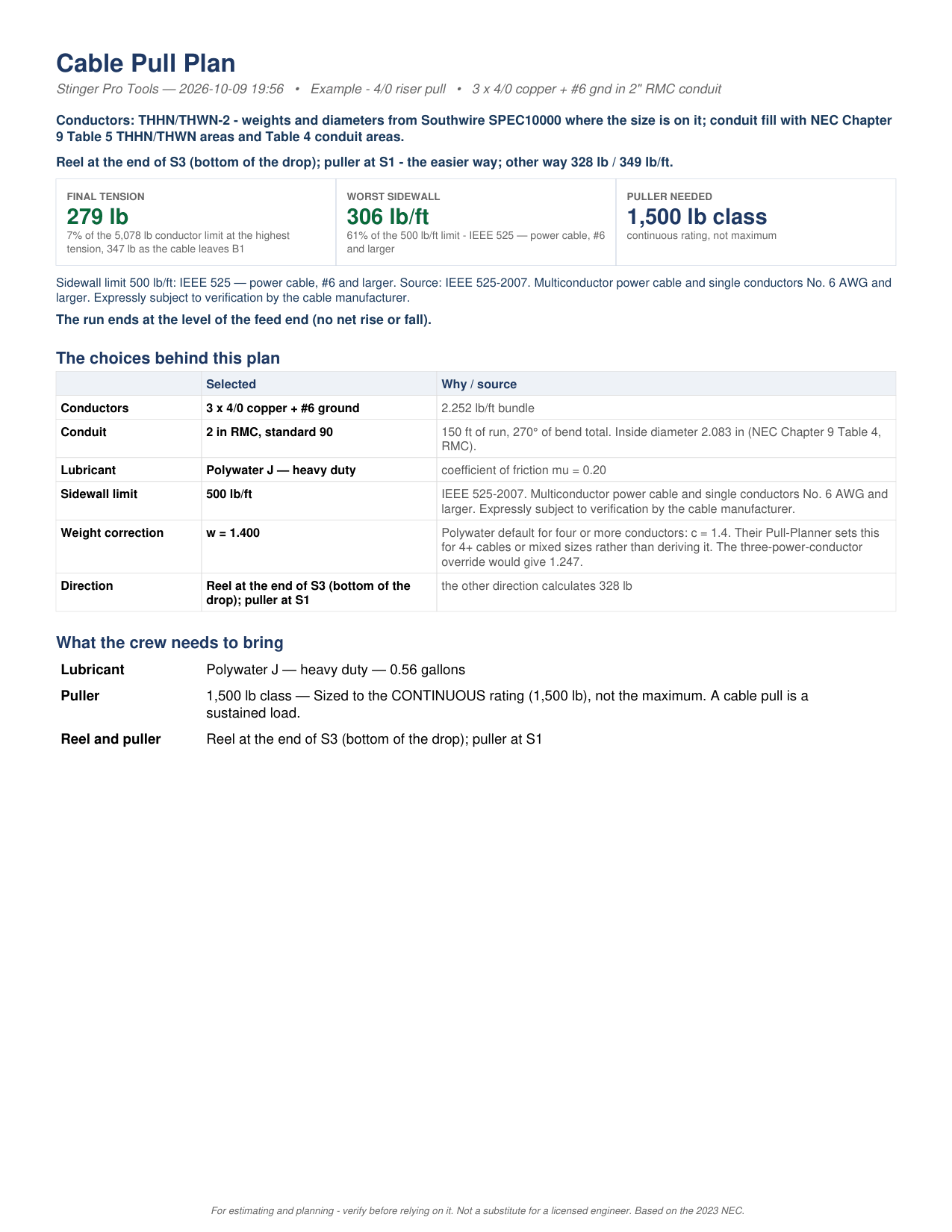
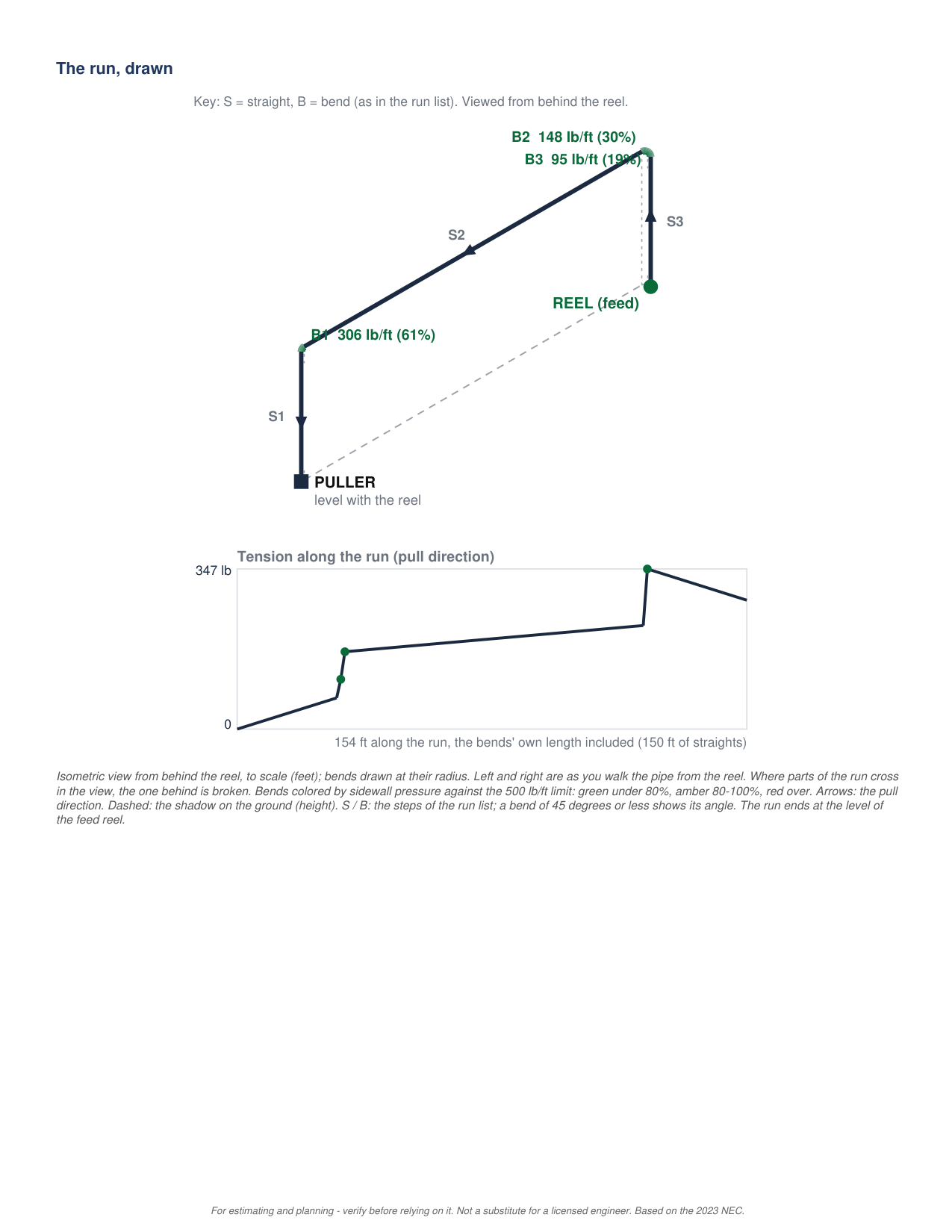
Page 1 of the Pull Tension PDF report
Page 1
Page 2 of the Pull Tension PDF report
Page 2
Page 3 of the Pull Tension PDF report
Page 3
Page 4 of the Pull Tension PDF report
Page 4
Page 5 of the Pull Tension PDF report
Page 5
Page 6 of the Pull Tension PDF report
Page 6
Page 7 of the Pull Tension PDF report
Page 7
Page 8 of the Pull Tension PDF report
Page 8
Page 9 of the Pull Tension PDF report
Page 9
Page 10 of the Pull Tension PDF report
Page 10 — Southwire cable sheet
Page 11 of the Pull Tension PDF report
Page 11 — Southwire cable sheet
Page 12 of the Pull Tension PDF report
Page 12 — Southwire cable sheet
Page 13 of the Pull Tension PDF report
Page 13 — Southwire cable sheet
Page 14 of the Pull Tension PDF report
Page 14 — Wheatland elbow sheet
Page 15 of the Pull Tension PDF report
Page 15 — Wheatland elbow sheet
Where it runs

Two places to run it

Stinger Pro Tools

On Android, $49.99 once. Everything on this page.

Get it on Google Play

The Stinger Pro Suite

Where pull tension was first built, inside the estimate, so the answer can change what you bid. The 3D run entry, the vertical-bend equations and the drawings on this page came out of the app and are being brought back across.

Join the Suite’s early-access list →